
TechPulse by CNET Group: News app
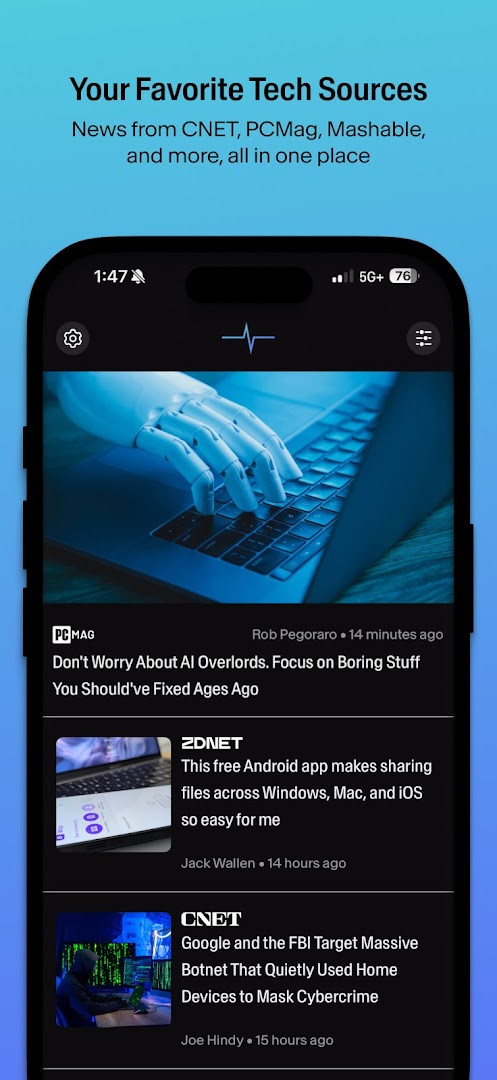
TechPulse by CNET Group is a news app by CNET. that delivers a customizable, algorithm-free feed of tech news and reviews.
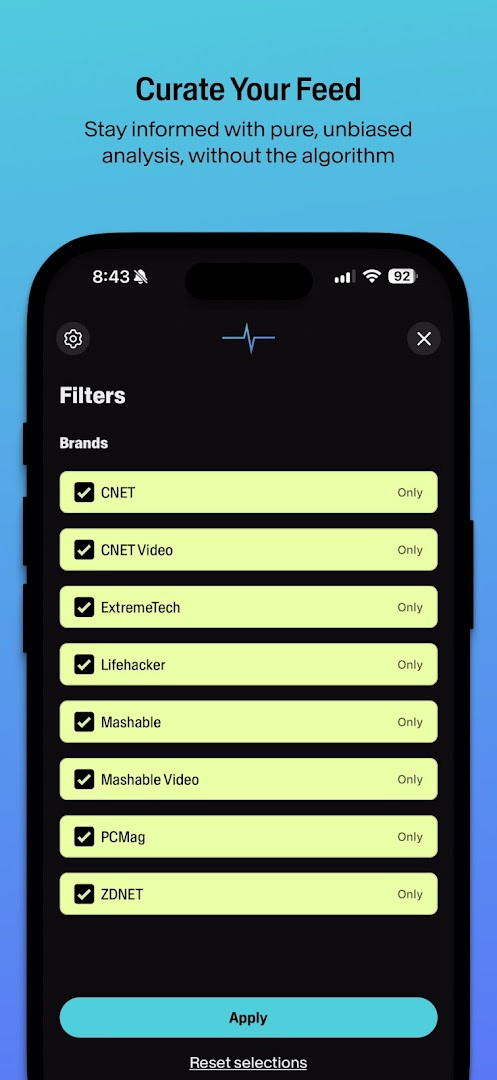
Download TechPulse · v5.0.3TechPulse by CNET Group lets you filter publication sources to build a unified feed from outlets like CNET, PCMag, Mashable, Lifehacker, and ZDNET. It is aimed at tech enthusiasts who value journalistic integrity and direct sources. The app is free, requires Android 7.0 or higher, and has a download size of about 1.0 MB.
Screenshots

- Version
- 5.0.3
- Requires Android
- 7.0
- Updated
- Sep 16, 2026
- Installs
- 1M+
- Rating
- ★ 3.55 (4,971)
- Category
- News & Magazines
- Developer
- CNET.
- Content rating
- Teen
- Package
- com.cbsinteractive.cnet
- Free
- ✓ · Contains ads
TechPulse by CNET Group is a news aggregation app by CNET that provides a unified feed of technology and lifestyle journalism from trusted publishers. It tackles the problem of information overload by offering a customizable, algorithm-free news experience, allowing users to filter out noise and focus on content that genuinely interests them. Instead of juggling multiple sources or dealing with unpredictable algorithms, you can build a personalized daily dashboard filled with expert-curated articles, reviews, and analysis from names like CNET, PCMag, Mashable, Lifehacker, and ZDNET.
Key features
- Customize your feed by filtering publication sources to see only the outlets you prefer.
- Access lab-tested product reviews from CNET and PCMag experts to guide buying decisions.
- Read breaking tech news and objective analysis from professional reporters.
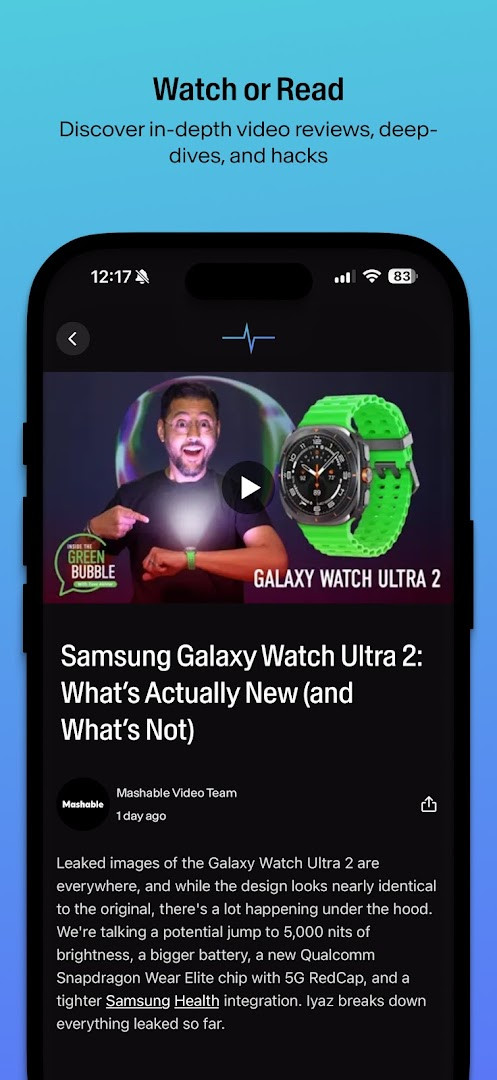
- Follow trending digital culture and entertainment stories from Mashable.
- Discover practical life hacks and productivity tips from Lifehacker.
- Track professional tech breakthroughs and industry trends through ZDNET content.
- Get product updates and troubleshooting guides directly from CNET.
How to install
- Tap the download button on this page to get the app file.
- If prompted by Android, allow your browser or file manager to install apps by enabling the "Install unknown apps" setting.
- Open the downloaded APK file from your notifications or file manager.
- Tap Install and wait for the process to complete.
- Open the app and begin customizing your news feed. The file size is not available, and you need Android 7.0 or higher.
Pros
- Brings together news from multiple respected sources in one place.
- Customizable feed lets you filter by publication, reducing clutter.
- Algorithm-free approach prioritizes editorial curation over engagement-driven content.
- Includes practical content like buying guides, productivity tips, and troubleshooting help.
- Completely free to use, with no in-app purchases required.
Cons
- Contains advertisements, which can interrupt the reading experience.
- Requires permissions to access photos, media, files, and storage, which may concern privacy-focused users.
- Needs permission for Wi-Fi connection information.
- The interface might feel basic compared to more feature-rich news apps.
Latest changes · 5.0.3
This update brings design optimizations, including refined typography and spacing, for a cleaner reading experience. It also adds support for embedded content from platforms like YouTube, Instagram, and TikTok. Additionally, the minimum required app version has been set to 5.0.0.
Older versions
| Version | Size | Requires Android | Updated |
|---|---|---|---|
| 5.0.3 | — | 7.0 | Sep 16, 2026 |
This app is ideal for beginners who want a straightforward, no-frills way to keep up with technology news. It suits anyone feeling overwhelmed by social media feeds or multiple news apps, especially readers who value editorial integrity and prefer a clear, customizable reading list from well-known outlets without ads for premium features.
Start by customizing your publication sources in the settings to immediately focus your feed on the outlets you trust most. The algorithm-free design means you see exactly what editors curate, so exploring all available source filters helps you get the full picture without the noise.
Permissions
FAQ
Is TechPulse free to download and use?
Yes, TechPulse is completely free to install and use. It is supported by ads but does not require any in-app purchases.
What Android version do I need to run this app?
The app requires Android 7.0 or a newer version. Please check your device settings to confirm compatibility.
Do I need to create an account to use TechPulse?
You can use the app without creating an account. An account is not required to read news and reviews.
What permissions does the app ask for?
When installed, it may request access to photos, media, files, storage, and Wi‑Fi connection information. These are typical for managing cached content and network features.
How do I update TechPulse to the latest version?
To update, simply download the newest version from this page. The current release is version 5.0.3, dated September 16, 2026.
TechPulse by CNET Group is a solid choice for anyone looking to simplify their tech news consumption without the hassle of algorithmic feeds. Its straightforward, customizable approach makes staying informed both manageable and reliable.
Similar apps





Updated: Oct 22, 2026