Weather apps keep you updated on current conditions and forecasts wherever you are. Get instant access to temperature, humidity, wind speed, and severe weather alerts.
Weather applications provide essential information to help you prepare for daily activities. Whether you need a quick temperature check or detailed meteorological data, these apps deliver reliable forecasts and timely notifications.
Types of weather apps
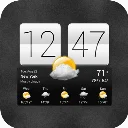
Weather apps range from simple forecast viewers to feature-rich platforms with interactive maps and customizable widgets. Some focus on minimalist design with essential information, while others include clock features, weather animations, and detailed hourly breakdowns. Options like Sense V2 Flip Clock & Weather combine functional forecasting with stylish flip-style clock widgets that display weather information on your home screen.
Choosing the right weather app
Consider what matters most for your needs: real-time accuracy, visual appeal, widget variety, or additional features like air quality tracking. Check whether the app updates frequently and covers your location with precision. Many users prefer apps that offer customizable alerts for severe weather conditions and integrate smoothly with their device's home screen.
FAQ
What information do weather apps typically provide?
Most weather apps display current temperature, humidity, wind speed, and precipitation forecasts. Many include hourly and extended forecasts, UV index, visibility, and air quality data. Advanced apps offer severe weather alerts and radar imagery.
Can I use weather apps without an internet connection?
Weather apps require internet connectivity to fetch current forecasts and updates. However, some apps cache recent data, allowing you to view the last downloaded forecast temporarily offline.
How often do weather apps update their information?
Most weather apps update forecasts multiple times per hour when connected to the internet. Update frequency depends on your location and the app's configuration. You can typically set custom update intervals in app settings.
Are weather widgets battery-intensive?
Weather widgets vary in their battery impact. Frequently updating widgets consume more power, while static widgets have minimal effect. Adjusting update intervals in settings helps balance information freshness with battery life.