BeautyPlus-Selfie Photo Editor: Photo and Video Editing App
BeautyPlus-Selfie Photo Editor is a photography app by PIXOCIAL TECHNOLOGY (SINGAPORE) PTE. LTD. that retouches selfies and edits photos and videos.
Download BeautyPlus · v7.47.0BeautyPlus-Selfie Photo Editor offers makeup filters, a body editor, AI tools and a video editor in one app, and it can be downloaded at no cost. The app requires Android 8.0 or later, and its current version is 7.47.0, updated on 2026-10-13. It has been installed 500 million times and holds a rating of 4.54 from 5,006,446 ratings.
Screenshots
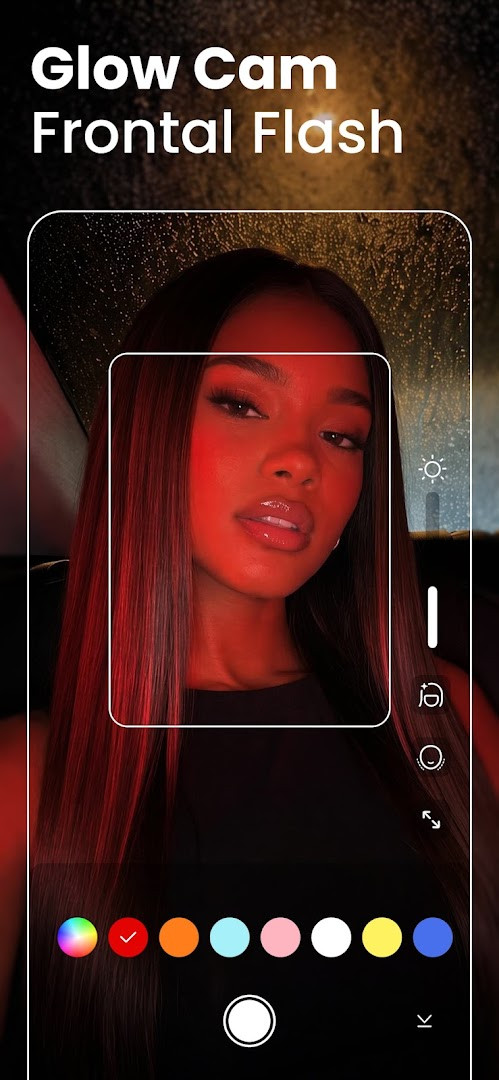
- Version
- 7.47.0
- Requires Android
- 8.0
- Updated
- Oct 13, 2026
- Installs
- 500M+
- Rating
- ★ 4.54 (5,006,446)
- Category
- Photography
- Developer
- PIXOCIAL TECHNOLOGY (SINGAPORE) PTE. LTD.
- Content rating
- Teen
- Package
- com.commsource.beautyplus
- Free
- ✓ · Contains ads · In-app purchases
BeautyPlus-Selfie Photo Editor is a feature-rich photography application by PIXOCIAL TECHNOLOGY (SINGAPORE) PTE. LTD. that combines a live beauty camera with an extensive suite of AI-powered retouching and editing tools. Its core purpose is to enable users to capture and craft polished selfies and videos, automatically smoothing skin, removing blemishes, and applying makeup effects in real-time.
Beyond simple touch-ups, the app functions as a comprehensive creative studio. It equips you with a body editor to sculpt features, an AI object remover to clean up compositions, and special effects like an anime filter and AI avatar generator. A full photo editor handles standard adjustments like brightness and contrast, while a dedicated enhancer aims to restore faded pictures and sharpen blurry details. For video, it includes tools to add music, apply filters, and perfect facial appearances.
The application is tailored for social media enthusiasts, content creators, and anyone who wants a single tool to manage their entire post-production workflow from capture to share. With a user base counted in the hundreds of millions, it aims to provide an all-in-one alternative to downloading separate apps for a beauty cam, face tuning, and general photo editing. A premium subscription is available to remove ads and unlock an expanded library of exclusive filters and assets.
Key features
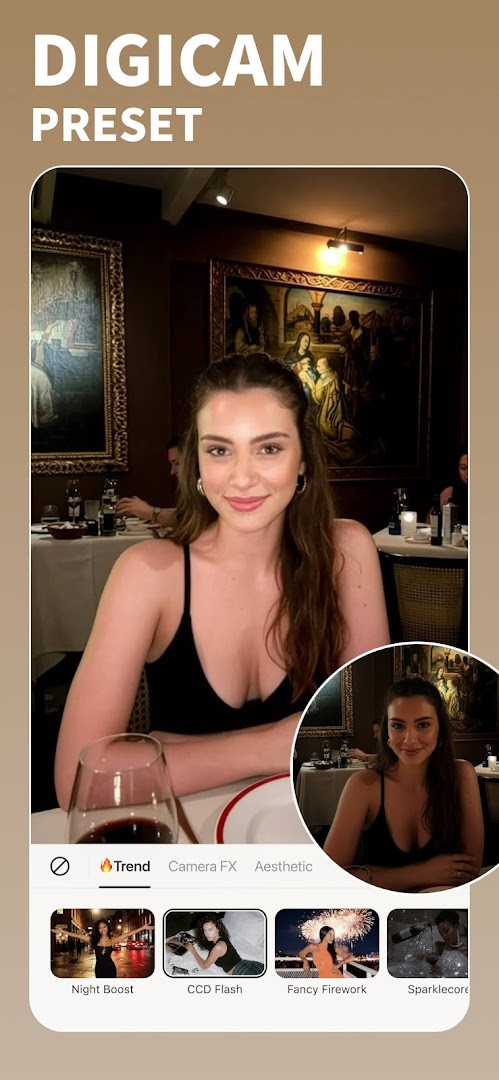
- A dedicated beauty camera with live AI auto-retouch for smoothing skin, removing blemishes, and brightening eyes before you even take the shot.
- A Vintage Film Cam feature offering six distinct analog camera models with matching filters and optional sticker overlays for a retro aesthetic.
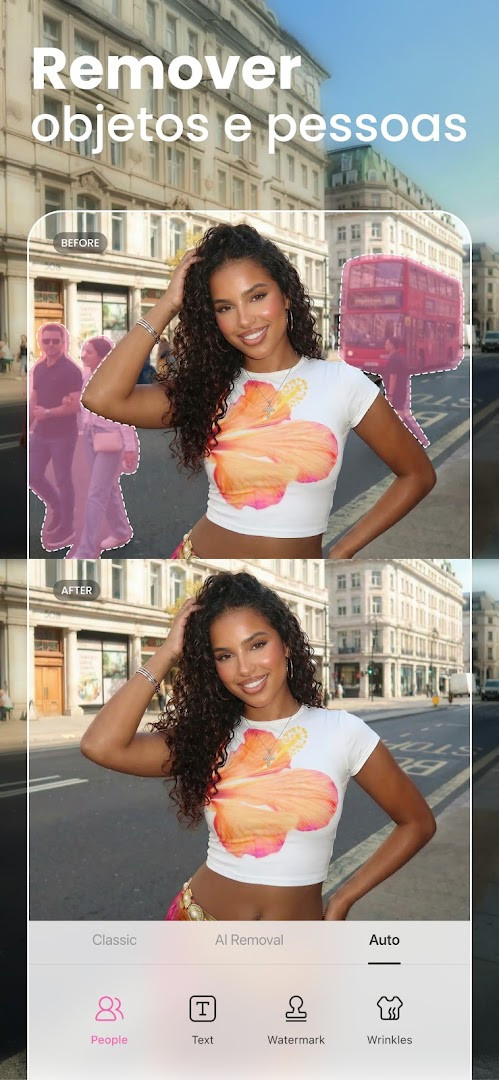
- An AI-powered object and people remover to clean up unwanted distractions from your photos with a few taps.
- A comprehensive body editor that includes tools for adjusting height, sculpting the waist, arms, and face, and experimenting with a range of skin tones.
- A background eraser and editor capable of removing, changing, or artistically blurring backgrounds, plus a standard crop tool.
- A video editor module that supports adding music, applying filters, and using the face-tune editor to perfect appearances in motion.
- AI-driven creative effects like an Anime filter for cartoonifying selfies and an AI Avatar generator for creating stylized, otherworldly portraits.
- A photo enhancer designed to restore faded old photos, unblur images, and generally boost overall photo quality and sharpness.
How to install
- Tap the download button on this page to begin acquiring the APK file. The file size information is not available, so ensure you have sufficient free space.
- If your Android system presents a security prompt, navigate to your device settings and allow your browser or file manager to install apps by enabling the 'Install unknown apps' permission.
- Once the download is complete, open the APK file, typically found in your 'Downloads' folder or via the notification panel.
- Review the permissions requested, which include access to the camera, microphone, storage, and location, then tap 'Install' to proceed.
- After the installation finishes, tap 'Open' to launch BeautyPlus. The app requires a device running Android 8.0 or a more recent version.
Pros
- An incredibly vast and diverse set of tools, from basic blemish removal to full body reshaping and AI avatar creation, all within a single download.
- The live auto-retouch feature in the camera preview provides instant feedback, significantly speeding up the selfie-taking process.
- Unique creative options like the multi-model vintage film camera and AI anime filter offer distinct styles not commonly found bundled together in competing editors.
- Backed by a massive, established user base and a long development history dating back to 2013, suggesting a mature and continuously refined product.
Cons
- The free version includes advertisements, which can interrupt the editing workflow.
- Many of the more advanced filters, makeup looks, and templates are locked behind a recurring subscription paywall.
- The app requests a wide range of permissions, including Location and Microphone, which may concern privacy-conscious users evaluating alternatives.
- With hundreds of features and tools, the interface can feel overwhelming and cluttered compared to more minimalist editors.
Latest changes · 7.47.0
This update introduces a new Fan Merch page where you can show support for your favorite bias. It also includes bug fixes and performance improvements.
Older versions
| Version | Size | Requires Android | Updated |
|---|---|---|---|
| 7.47.0 | — | 8.0 | Oct 13, 2026 |
| 6.9.111 | 58 MB | 4.1 | Jun 20, 2026 |
| 7.0.270 | 59 MB | 4.4 | Jan 15, 2020 |
| 6.4.5 | 47 MB | 4.0 | May 20, 2017 |
This app is best suited for a comparison-focused user who wants a single, extremely versatile Swiss Army knife for image and video manipulation. It is ideal for those who actively post on multiple social platforms and value having a vast library of beauty filters, body editing tools, and creative AI effects at their fingertips, and who don't mind navigating a feature-dense interface or paying a subscription to unlock its full potential.
For a more efficient workflow, use the live auto-retouch feature directly in the BeautyPlus camera to apply a subtle base correction before taking the shot; this often yields a more natural result than heavy post-processing. When comparing this app to others, note that the most advanced AI tools like the object remover and photo enhancer are typically server-side features requiring an internet connection, so test them on your specific device to evaluate speed and quality.
Permissions
FAQ
Is BeautyPlus free to download and use?
Yes, the app is free to download with a listed price of 0.00 USD. It does contain ads and offers in-app purchases for premium perks, but the core editing tools are available at no cost.
Which Android version do I need to run BeautyPlus?
The app requires Android 8.0 or later. Make sure your device meets this minimum before installing version 7.47.0.
What permissions does BeautyPlus request?
The app asks for access to your location, photos, media and files, storage, camera, microphone, and Wi-Fi connection information. These permissions support features like the beauty camera, video editing, and saving your edited images.
Do I need to create an account to use BeautyPlus?
No account is required to use the photo and video editing tools. You can start editing selfies and applying filters right after installing the app.
How do I update BeautyPlus to the latest version?
To update, simply download the newest version of the app from this page. The current release is version 7.47.0, updated on 2026-10-13.
What can I do with BeautyPlus?
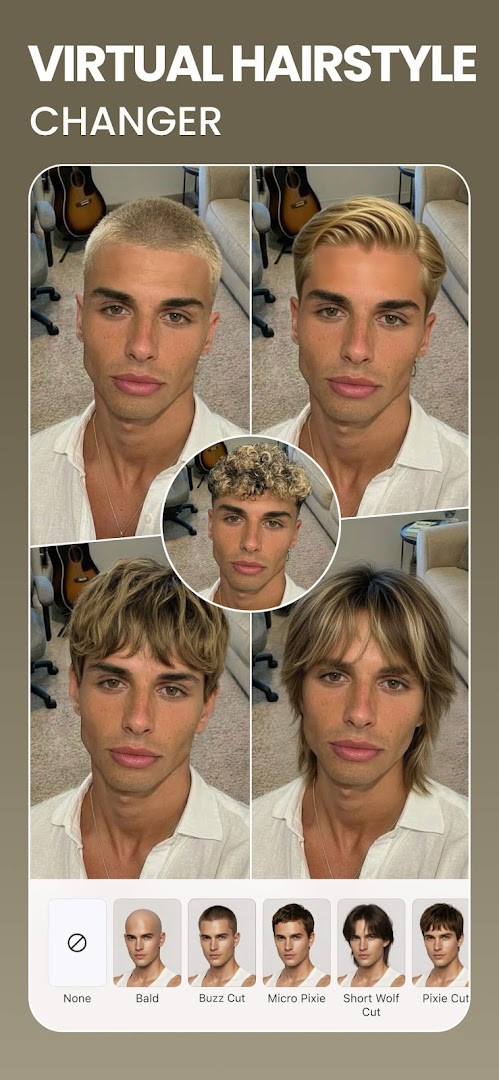
BeautyPlus offers over 50 editing tools, including AI auto-beautification, makeup filters, a hair color changer, teeth whitener, body editor, background eraser, and video editor. You can also use AI tools like Anime filters and Avatars to transform your photos.
For seasoned users weighing their options, BeautyPlus remains a heavyweight contender in the mobile retouching space. Its fusion of a capable camera, extensive AI-driven tools, and a massive community makes it a robust all-in-one solution, though the ad-supported model and extensive permission requests are points to consider against more streamlined or privacy-focused alternatives.
Similar apps
 GalleryGoogle LLC4.2
 Samsung GallerySamsung Electronics Co., Ltd.3.8
 Picsart AI Photo Editor, VideoPicsArt, Inc.4.0
 AI GalleryTranssion Holdings3.5
 FaceApp: Perfect Face EditorFaceApp Technology Ltd4.3
 Video Editor & Maker - InShotInShot Video Editor4.8
 Camera360 :Photo Editor&SelfiePINGUO TECHNOLOGY HK CO LIMITED4.2
 SpaceBeamPhotography
Updated: Oct 15, 2026