
AI Gallery – Smart Photo Organizer
AI Gallery is a free photography app by Transsion Holdings that lets you manage, edit, and compress photos with AI-powered tools.
Get APK · v15.0.3.054AI Gallery requires 166 MB of storage and runs on devices with Android 12 or later. The app is ad-free and offers optional in-app purchases. It is designed for users who want an efficient way to sort albums, create puzzles, edit images, and free up space by removing blurry or duplicate photos.
Screenshots

- Version
- 15.0.3.054
- Size
- 166 MB
- Requires Android
- 12
- Updated
- Jun 4, 2025
- Installs
- 500M+
- Rating
- ★ 3.47 (34)
- Category
- Photography
- Developer
- Transsion Holdings
- Content rating
- Everyone
- Package
- com.gallery20
- Free
- ✓
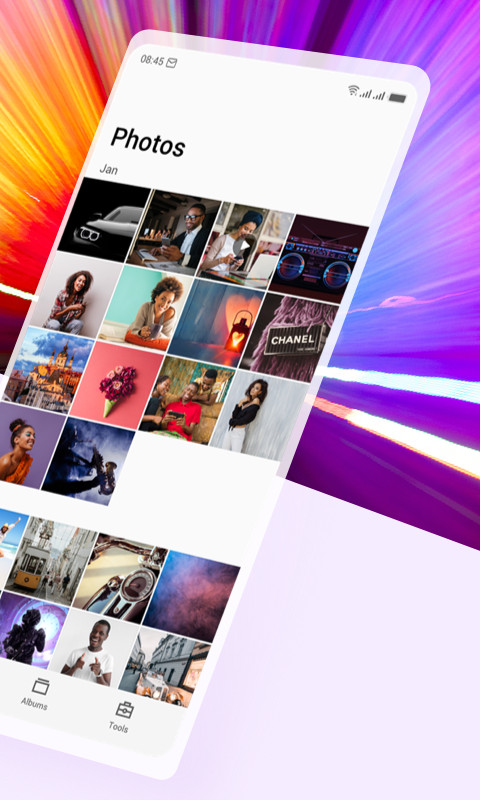
AI Gallery is a photography app by Transsion Holdings that organizes, edits, and manages photos on Android devices. It aims to be a simple and fast gallery solution without ads, offering a range of tools from album classification to photo cleanup and compression. The app is designed to help users keep their photo libraries tidy and free up storage space, with a focus on efficiency and a clean interface.
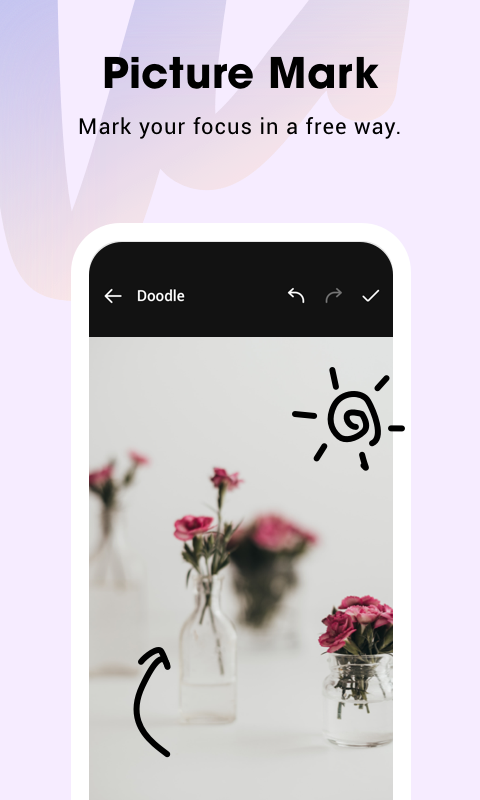
Beyond basic browsing, the app provides a full editing suite, multi-template puzzle creation, and the ability to set images as wallpapers. It also includes a slideshow feature, dark mode, and gesture-based zooming. Version 15.0.3.054 introduces a refreshed user interface, a new picture compression tool, a private album feature (available only on Tecno and Infinix devices), and a picture marking tool with mosaic and cropping options. An About page has also been added for transparency.
In terms of privacy, the app requests a wide range of permissions, including access to external storage, media images, network state, Bluetooth, and even the ability to query all packages and manage external storage. It also includes permissions related to Transsion's data services and AI core features. While these permissions may be necessary for the app's functionality, users should be aware that the app can access and manage a significant amount of device data and system functions.
Key features
- Reorganized homepage for quick photo selection
- Efficient album classification
- Multi-template puzzle creation
- Comprehensive picture editing tools
- Photo cleanup for dark, blurry, or duplicate images
- HD lossless photo compression to save storage
- Dark mode and picture slideshow
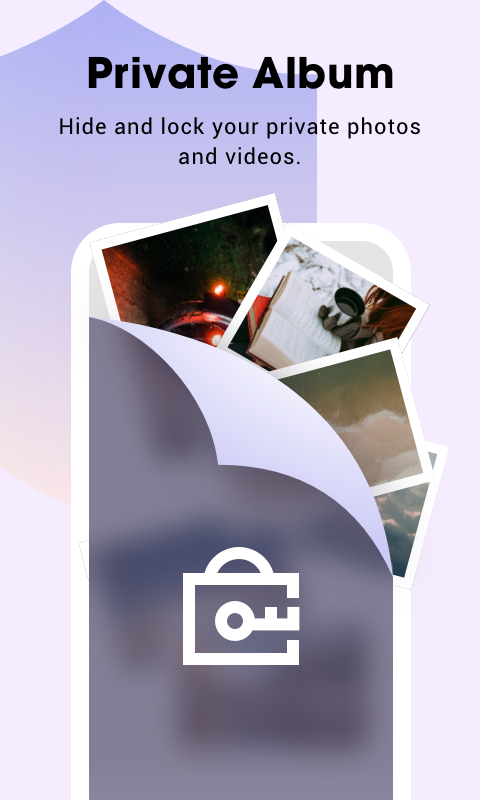
- Private albums (password-protected) on Tecno and Infinix devices
- Picture marking with mosaic and free crop
How to install
- Tap the download button on this page to start downloading the APK file (166 MB).
- When Android prompts, allow your browser or file manager to install apps by enabling the 'Install unknown apps' setting.
- Open the downloaded APK file from your notification bar or file manager.
- Tap 'Install' and follow any on-screen instructions.
- Open AI Gallery from your app drawer. Your device must run Android 12 or higher.
Pros
- No ads, providing an uninterrupted experience
- Includes a photo compression feature to save storage
- Offers a wide range of editing and organization tools
- Dark mode for comfortable low-light use
- Private album support on certain Transsion devices
Cons
- Requires many permissions, including access to external storage and device-wide queries
- Private albums are only available on Tecno and Infinix phones
- Permission list includes potentially invasive system access
- Rating is relatively low at 3.47 based on 34 ratings
Latest changes · 15.0.3.054
Version 15.0.3.054 brings a redesigned interface. It adds picture compression that reduces storage without quality loss, and private albums with password hiding on Tecno and Infinix phones. Users can also mark images with mosaics and free cropping. An About page is new.
Older versions
| Version | Size | Requires Android | Updated |
|---|---|---|---|
| 15.0.3.054 | 166 MB | 12 | Jun 4, 2025 |
| 5.6.1.045 | 77 MB | 12 | Jul 28, 2024 |
| 5.5.0.022 | 74 MB | 8.0 | Jan 24, 2024 |
This app is ideal for Android users who want a comprehensive gallery with built-in editing and cleanup tools, especially those with large photo libraries who need to free up space. It also suits users who prefer an ad-free experience and are comfortable granting broad storage permissions. Finally, owners of Tecno or Infinix devices can take advantage of the private album feature for hiding sensitive photos.
Before granting the 'Manage external storage' permission, consider using the app's cleanup and compression features to see if they meet your needs, and be mindful of what data you share.
Permissions
FAQ
Is AI Gallery free?
Yes, AI Gallery is free. It does not require any payment to use its core features.
What Android version is required?
AI Gallery needs Android 12 or a newer version to run properly.
How large is the app?
The APK file size is 166 MB, so make sure you have enough storage before downloading.
Do I need an account to use it?
No, AI Gallery does not require you to create an account. You can start using it right after installation.
How do I update AI Gallery?
To update, simply download the latest version from this page and install it over the existing app. Your data is kept intact.
What permissions does it ask for?
The app requests permissions for network access, Bluetooth, storage management, reading and writing images, vibration, and boot completion, along with several device-specific services.
AI Gallery offers a solid set of features for photo management and editing, with the added benefit of being ad-free. However, its extensive permission requests and limited availability of certain features on non-Transsion devices may give some users pause. If you prioritize functionality over minimal permissions, it's worth a try, but check your device compatibility and privacy comfort level first.
Similar apps
 GalleryGoogle LLC4.2
 Samsung GallerySamsung Electronics Co., Ltd.3.8
 Picsart AI Photo Editor, VideoPicsArt, Inc.4.0
 BeautyPlus-Selfie Photo EditorPIXOCIAL TECHNOLOGY (SINGAPORE) PTE. LTD.4.5
 FaceApp: Perfect Face EditorFaceApp Technology Ltd4.3
 Video Editor & Maker - InShotInShot Video Editor4.8
 Camera360 :Photo Editor&SelfiePINGUO TECHNOLOGY HK CO LIMITED4.2
 SpaceBeamPhotography
More from this developer


Updated: Oct 16, 2026