
Fluffy File Manager: Open-Source Organizer
Fluffy File Manager is a free, open-source file management tool from MLM Games for browsing storage and handling archives offline.
Download Fluffy File Manager · v4.6.0Fluffy File Manager is built for users who want a privacy-respecting way to manage files on phones, tablets, and Android TV devices. The app provides a TV-friendly interface with large touch targets and DPAD navigation, while functioning fully without an internet connection or advertisements.
Screenshots
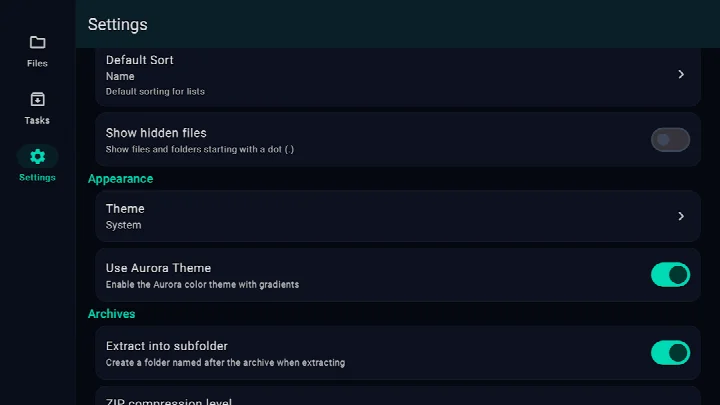
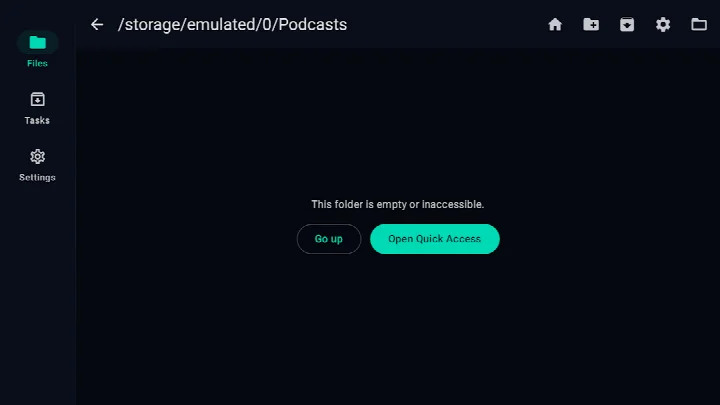
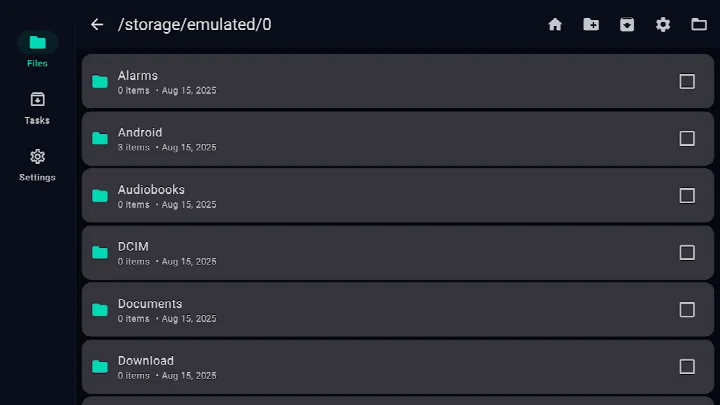
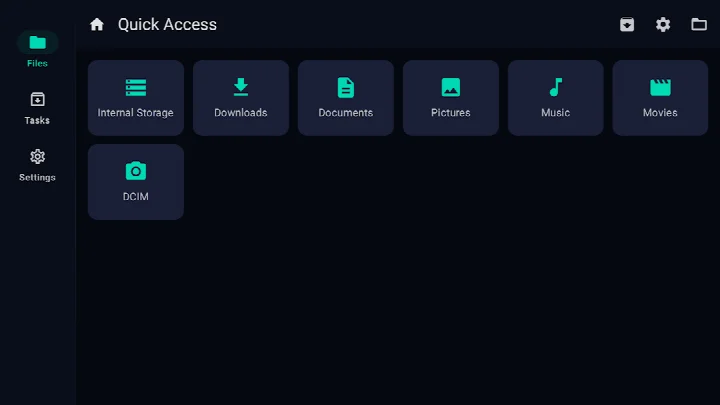
- Version
- 4.6.0
- Requires Android
- 7.0
- Updated
- Oct 19, 2026
- Installs
- 1K+
- Category
- Tools
- Developer
- MLM Games
- Content rating
- Everyone
- Package
- app.fluffy
- Free
- ✓
Fluffy File Manager is a tools app by MLM Games that provides fast and private file management on Android devices. It is designed for users who want a straightforward, offline-capable file manager with strong archive support, including a user interface that works well on TVs as well as phones and tablets. The app lets you browse internal storage or any Storage Access Framework (SAF) folder, create and extract archives in several common formats, and run tasks in the background with a dedicated Task Center. It is free, open source, and contains no ads, trackers, or network dependencies, making it a good choice for privacy-conscious users who want a reliable file tool without unnecessary permissions or data collection.
The app focuses on core file operations with a clean, TV-friendly layout that uses DPAD navigation and large touch targets, so it is easy to control with a remote or on a touchscreen. You can open archives like folders, extract only selected files, and create ZIP or 7z archives. Background tasks let you continue working while files are copied or compressed, and the Task Center shows progress. Fluffy works fully offline and does not send or collect any personal data, which is a significant advantage for users who value privacy.
Fluffy File Manager is suitable for anyone who needs a dependable file manager on Android, from casual users who want to unzip a download to power users who manage many archives or use an Android TV device. Its optional permissions are transparent: you can grant full filesystem access on Android 11 and newer, or you can use SAF-only mode to avoid that permission entirely. The app is rated for everyone and is free with no in-app purchases. Version 4.5.4 requires Android 7.0 or higher, and the app is available in English.
Key features
- Browse internal storage or any SAF folder
- Create ZIP/7z archives, and extract ZIP, 7z, TAR, TGZ, TBZ2, TXZ, APK, and JAR formats
- Open archives like folders and extract selected files
- Background tasks with progress and a Task Center
- TV-friendly UI with DPAD focus and large touch targets
- No ads and works fully offline
- Optional permissions: full filesystem access (Android 11+) or SAF-only mode
- Does not collect or send personal data
How to install
- Tap the download button on this page to get the APK file (size n/a).
- When Android asks, allow your browser or file manager to install apps (the 'Install unknown apps' setting).
- Open the downloaded APK file from your notifications or file manager.
- Tap Install and wait for the process to finish.
- Open Fluffy File Manager from your app drawer or home screen.
- Note: this app requires Android 7.0 or higher.
Pros
- No ads, no trackers, and works offline
- Open source (GPL-3.0-or-later) with a transparent privacy policy
- Supports many archive formats, including 7z, ZIP, TAR, and APK
- TV-friendly interface with large touch targets
- Optional permissions – you can use SAF-only mode to avoid full storage access
- Background tasks with a Task Center for progress tracking
Cons
- Does not support RAR extraction or creation
- Full filesystem access requires granting a broad permission on Android 11+ (though optional)
- No in-app purchase or premium tier (some users may expect more advanced features)
Latest changes · 4.6.0
Fluffy File Manager version 4.5.4, released on October 12, 2026, includes a fix for an issue from the previous release. This update maintains the app's focus on providing a fast, offline file manager with support for ZIP, 7z, and TAR archives, a TV-friendly interface, and background task management.
Older versions
| Version | Size | Requires Android | Updated |
|---|---|---|---|
| 4.6.0 | — | 7.0 | Oct 19, 2026 |
| 4.5.2 | 7.3 MB | 7.0 | Oct 14, 2026 |
| 4.5.1 | 7.3 MB | 7.0 | Oct 12, 2026 |
| 4.5.4 | — | 7.0 | Oct 12, 2026 |
| 4.5.0 | 7.3 MB | 7.0 | Oct 3, 2026 |
| 4.4.7 | 6.2 MB | 7.0 | Sep 16, 2026 |
Fluffy File Manager is for Android users who want a fast, private, and offline file manager with solid archive support, including those who use Android TV or want to avoid apps that collect data. It's also suitable for people who need to extract or create ZIP/7z archives without relying on cloud services.
If you want to avoid granting full storage access, use the SAF-only mode and browse folders through the Storage Access Framework. Also, take advantage of the Task Center to monitor long operations, and remember that you can open archives as folders to preview contents before extracting.
Permissions
FAQ
How do I install the APK for Fluffy File Manager on my Android device?
You can install it by downloading the APK file and opening it on your device. Make sure your Android settings allow installation from unknown sources, then follow the on-screen prompts.
What is the current version of Fluffy File Manager and what changed in it?
The latest version is 4.5.4, released on October 12, 2026. The update notes simply mention a previous release fix.
Does Fluffy File Manager show ads or require any purchases?
Fluffy File Manager is completely free with no ads and no in-app purchases. It is an open-source app licensed under GPL-3.0.
Can I use Fluffy File Manager without an internet connection?
Yes, the app works fully offline. It does not require a network connection and does not use any trackers.
How does Fluffy File Manager compare to other file manager apps in its category?
There are other open-source file managers in the Tools category that offer similar archive support and ad-free experiences. Your choice may depend on whether you need a TV-friendly interface or specific compression format handling, as Fluffy is designed with DPAD navigation and supports 7z compression while excluding .rar.
Fluffy File Manager is a dependable, privacy-focused file manager that covers the essentials without bloat. Its strong archive support, TV-friendly design, and offline operation make it a solid choice for many users, especially those who value transparency and minimal permissions.
Similar apps








Updated: Oct 30, 2026