Clock for Android
Clock is a time management tool from Samsung Electronics Co., Ltd. for alarms, world clock, stopwatch, and timer features.
Download ClockClock is designed for anyone who wants to organize daily routines and track time in one place. The app is free, contains no ads or in-app purchases, and requires Android 14 or higher for some alarm background options.
Screenshots
- Size
- 59 MB
- Updated
- Jul 20, 2026
- Installs
- 5B+
- Rating
- ★ 3.93 (350,938)
- Category
- Tools
- Developer
- Samsung Electronics Co., Ltd.
- Content rating
- Everyone
- Package
- com.sec.android.app.clockpackage
- Free
- ✓
Clock is a time-management application by Samsung Electronics Co., Ltd. that provides alarm, world clock, stopwatch, and timer functions. It is designed to handle everyday scheduling and time-tracking needs, from waking up on time to measuring intervals during tasks. The app also integrates weather information, allowing you to check conditions for cities around the world, which adds a practical layer to its core timekeeping features.
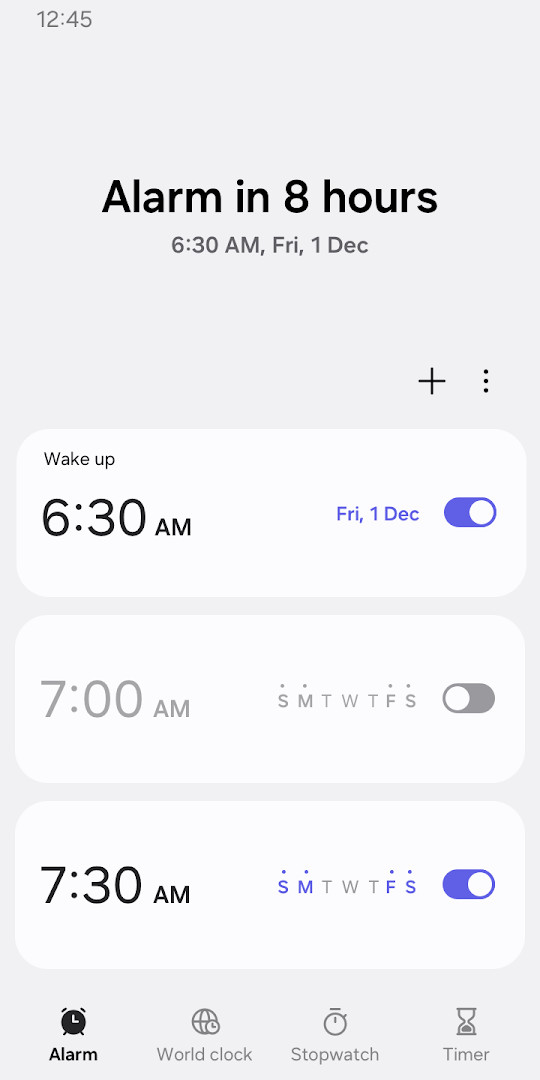
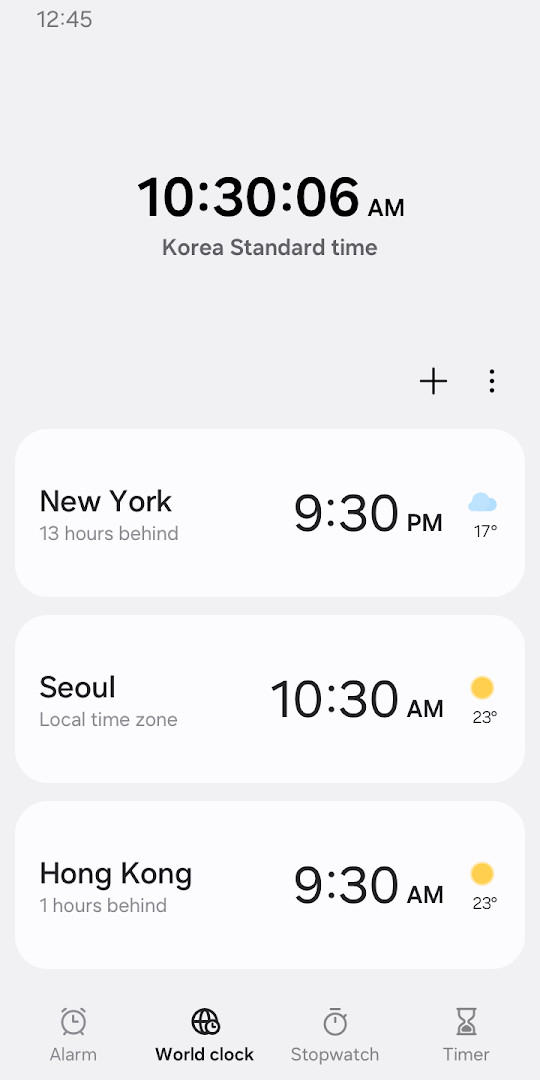
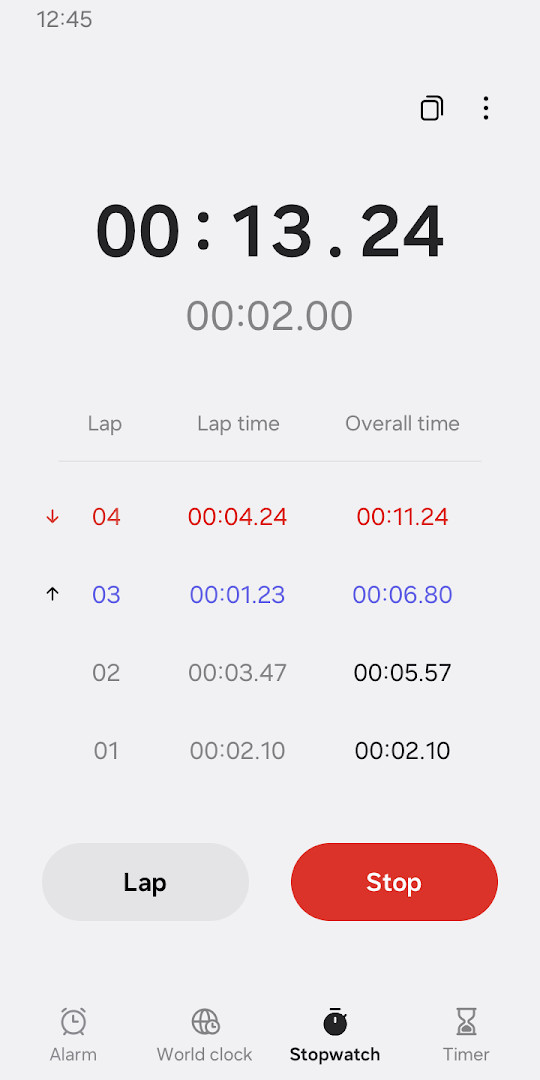
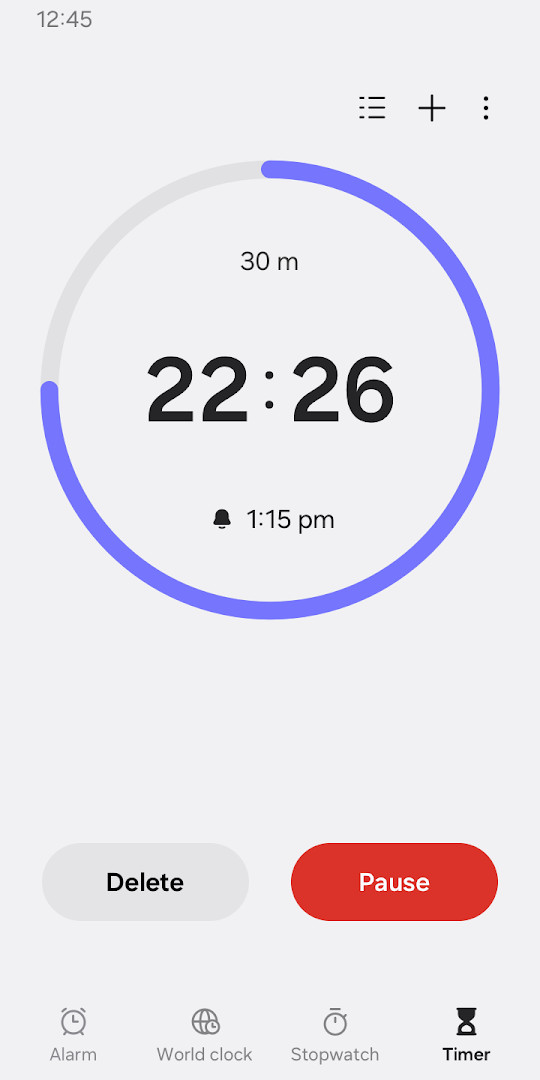
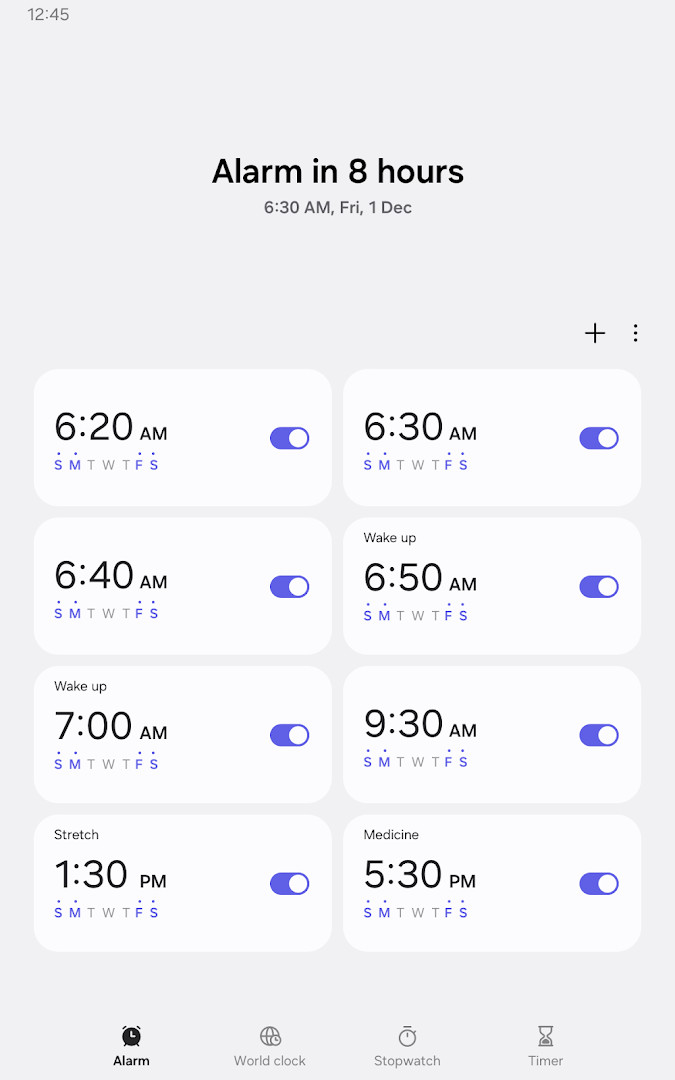
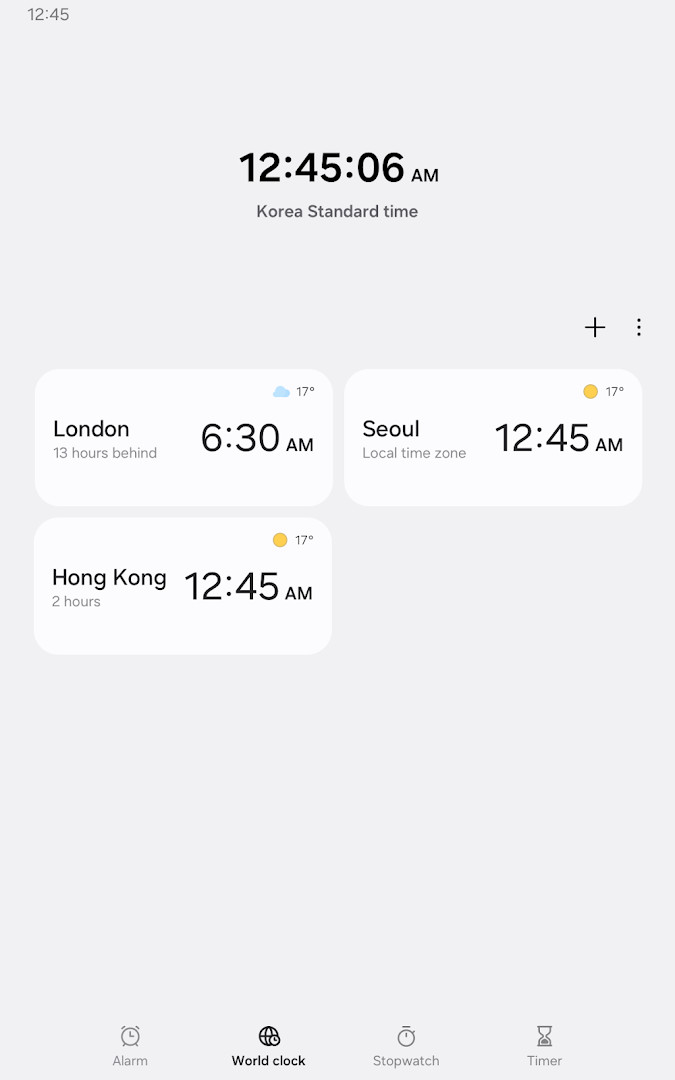
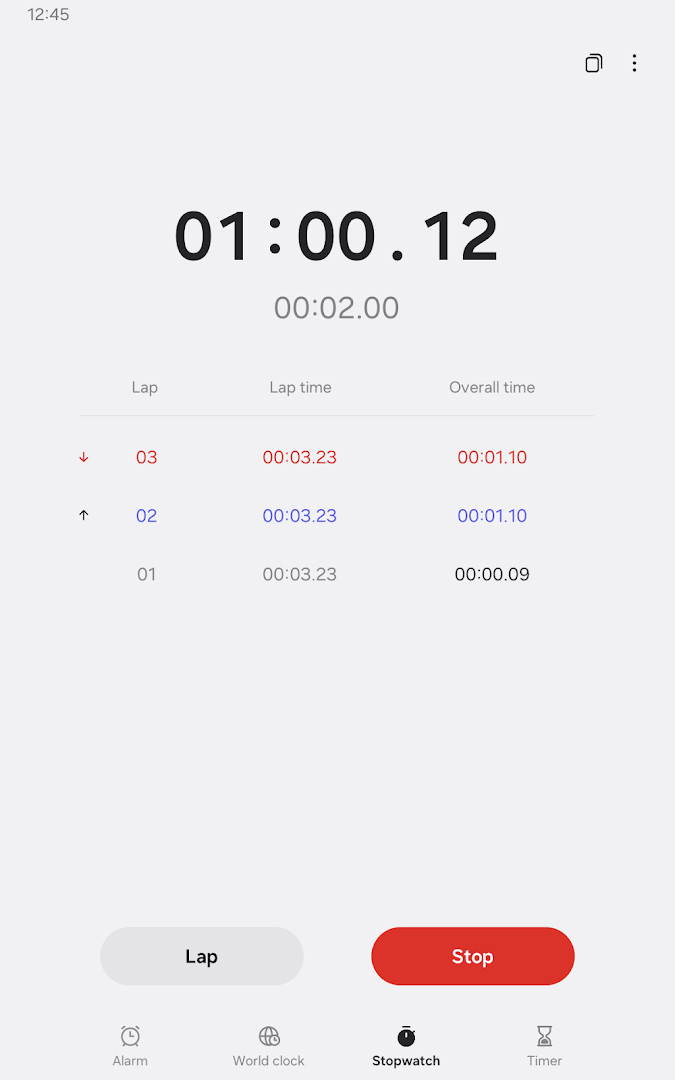
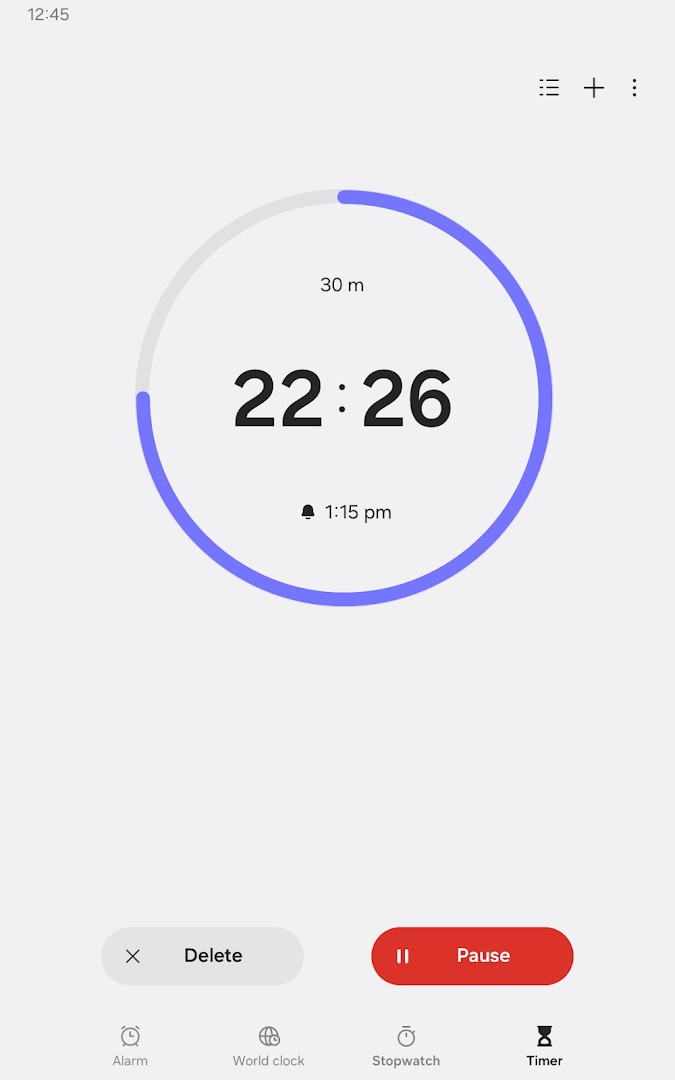
At its heart, the app focuses on four primary tools. The alarm section goes beyond simple wake-up calls: you can assign specific dates to alarms, and repeating alarms can be configured to skip a day and then resume, which is handy for irregular schedules. The snooze feature functions similarly to setting multiple alarms, giving you flexibility in how you wake up. The world clock displays both time and weather for selected cities, and a globe view helps you quickly locate a city's position. The stopwatch records lap times for each section and lets you copy the recorded values, useful for sharing results. The timer allows you to save frequently used durations as presets and run multiple timers at once, so you can track different tasks simultaneously.
The latest update, version 12.6.05.23, focuses on improving and stabilizing existing features. The app has been available since July 2018 and continues to receive regular updates, with the most recent release in September 2026. It has amassed a large user base, with over five billion installs and a rating of 3.93 from more than 350,000 reviews. The app is free, contains no ads, and offers no in-app purchases, making it a straightforward utility without hidden costs. Optional permissions enhance functionality—such as using custom sounds for alarms or showing notifications—but you can use the basic features without granting them.
Key features
- Alarm with date assignment and repeat rules that can skip a day and be reactivated
- Snooze function that mimics the effect of multiple alarms
- World Clock with city time and weather display, plus a globe view for location lookup
- Stopwatch with lap recording and the ability to copy recorded times
- Timer with preset saving for frequently used durations and simultaneous multi-timer support
- Weather alarm background that can show upcoming calendar events (when permissions granted)
- Optional permissions for custom sounds, notifications, and media selection (Android 14 and higher)
- Free, ad-free, and no in-app purchases
How to install
- Tap the download button on this page to start getting the APK file, which is 59 MB in size.
- When Android prompts you, allow your browser or file manager to install apps by enabling the 'Install unknown apps' setting for that app.
- Open the downloaded APK file from your notifications or file manager.
- Tap 'Install' on the installation screen and wait for the process to complete.
- After installation, open the Clock app from your app drawer. The app requires Android 4.4 or higher (as per the minimum version from the data).
Pros
- Comprehensive time tools in one app
- Weather integration for world clock
- Multiple timers and preset saving
- Free with no ads or in-app purchases
- Regular updates and stable performance
Cons
- Some features require optional permissions
- Rating is moderate at 3.93
- Large user base may lead to mixed feedback
- No advanced customization like themes or widgets
Latest changes
The latest update focuses on improving overall stability and refining existing functions for a smoother experience. No new features are introduced in this release; instead, the developer addressed performance and reliability issues. Users can expect more consistent behavior across alarms, timers, and other clock tools.
Older versions
| Version | Size | Requires Android | Updated |
|---|---|---|---|
| 12.6.05.23 | 59 MB | — | Sep 29, 2026 |
| 12.5.60.30 | 57 MB | 16 | Jun 18, 2026 |
| 12.5.60.27 | 58 MB | 16 | May 14, 2026 |
| 12.3.21.3 | 31 MB | 14 | Apr 26, 2026 |
| 12.4.10.10 | 36 MB | 15 | Oct 30, 2025 |
| 12.2.16.1 | 28 MB | 13 | Apr 19, 2025 |
| 12.4.00.8 | 32 MB | 14 | Mar 8, 2025 |
| 10.0.10.13 | 19 MB | 8.0 | Mar 2, 2023 |
This app suits busy professionals who need reliable alarms and timers throughout the day, travelers who want to check time and weather across different cities, and students who use stopwatches for study sessions or experiments.
Set up preset timers for common durations like 5, 10, or 25 minutes to quickly start a Pomodoro-style focus session without adjusting the timer each time.
Permissions
FAQ
How can I make an alarm repeat but skip a specific day?
The Alarm feature lets you assign dates to alarms, and for repeating alarms you can skip one day and then turn the alarm back on again.
Can I check weather for a city in the World Clock?
Yes, the World Clock feature shows the time and weather by city, and you can use the globe to quickly locate a specific city.
What can I do with the Stopwatch besides timing?
The Stopwatch records elapsed time for each section and lets you copy the recorded values.
Can I run more than one timer at the same time?
Yes, the Timer feature allows you to run multiple timers simultaneously and also save frequently used timer times as preset timers.
Is it possible to use the app without granting all permissions?
Yes, you can use the basic features of the app without allowing permissions. Some optional permissions are used for features like selecting sounds for alarms or showing notifications for ongoing timers.
Clock delivers a solid set of essential timekeeping tools with a few thoughtful extras like weather and multi-timer support. Its straightforward design and free, ad-free nature make it a dependable choice for most users, though the moderate rating and permission requests might give some pause. Overall, it's a practical utility that covers everyday needs effectively.
Similar apps
 Voice RecorderSamsung Electronics Co., Ltd.4.0
 Samsung Smart Switch MobileSamsung Electronics Co., Ltd.3.9
 Galaxy WearableSamsung Electronics Co., Ltd.3.7
 Samsung MusicSamsung Electronics Co., Ltd.3.8
 SmartThingsSamsung Electronics Co., Ltd.4.6
 Digital WellbeingGoogle LLC3.6
 Speech Recognition & SynthesisGoogle LLC4.0
 Android Accessibility SuiteGoogle LLC4.1
More from this developer


Updated: Oct 15, 2026