
Calculator: All-in-One Math Tool
Calculator is a free Tools app by Xiaomi Inc. that lets you perform everyday math and advanced calculations with built-in converters.
Get CalculatorCalculator by Xiaomi Inc. takes up 9.4 MB of space and requires Android 10 or newer. The app contains no ads and no in-app purchases. It is suitable for anyone who needs quick access to basic arithmetic, scientific functions, or practical tools like a mortgage and currency converter in a single app.
Screenshots

- Size
- 9.4 MB
- Requires Android
- 10
- Updated
- Mar 23, 2023
- Installs
- 1B+
- Rating
- ★ 4.27 (367,996)
- Category
- Tools
- Developer
- Xiaomi Inc.
- Content rating
- Everyone
- Package
- com.miui.calculator
- Free
- ✓
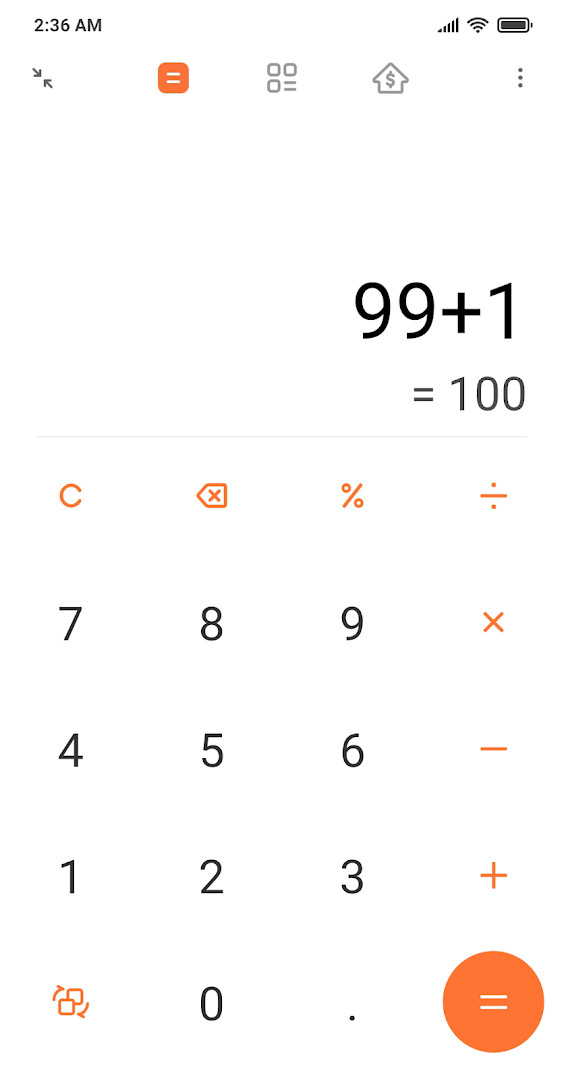
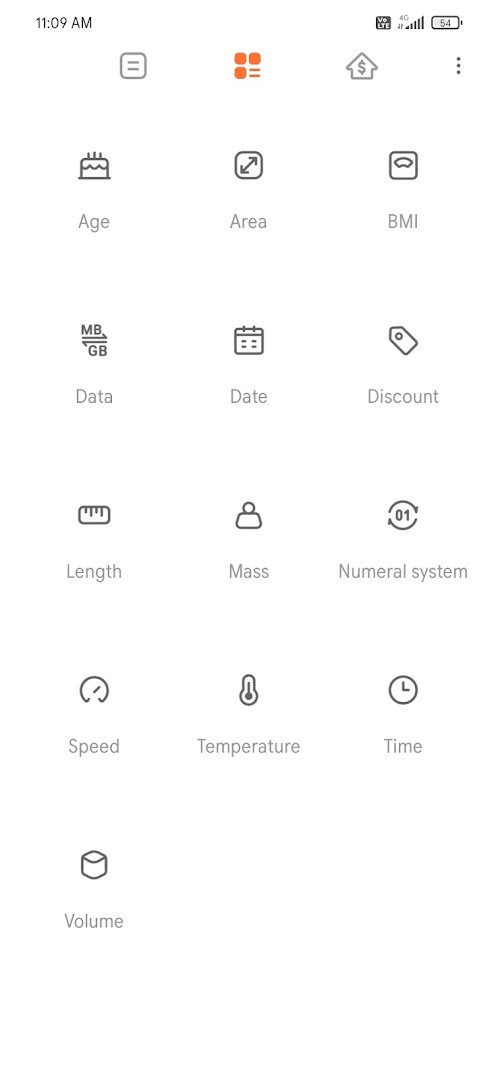
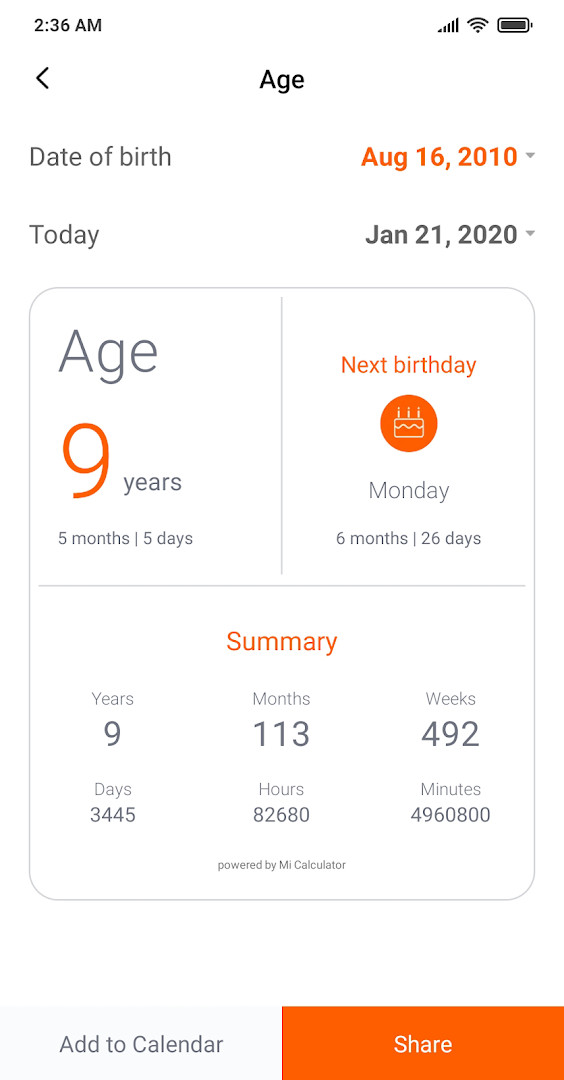
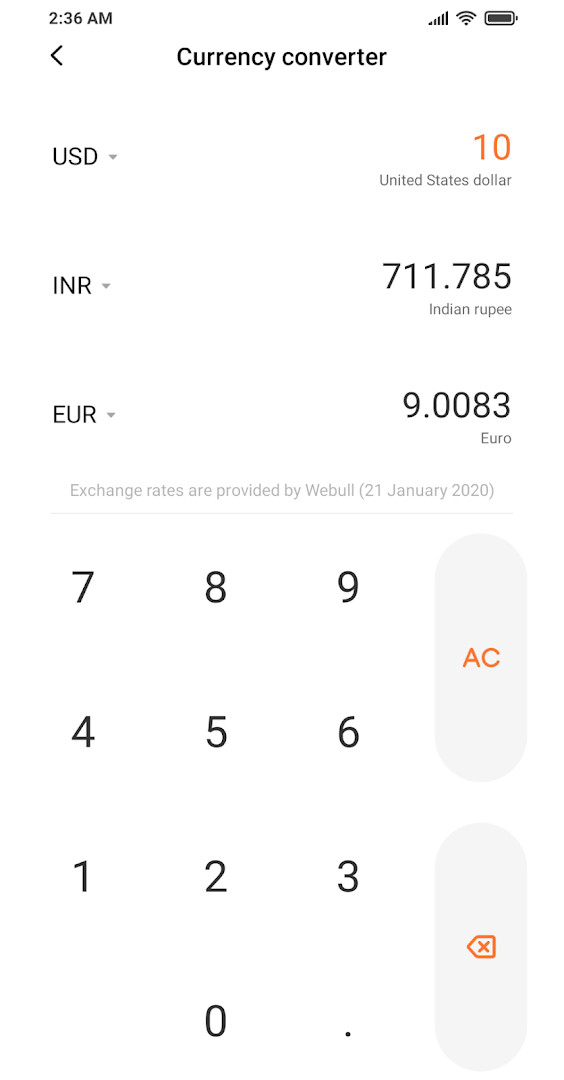
Calculator is a tools app by Xiaomi Inc. that combines arithmetic, scientific, financial, and conversion functions in one place. It addresses the need for a single utility that handles everyday math, unit conversions, currency exchange, and health or financial estimates without switching between multiple apps. The app offers a regular calculator with history, a scientific calculator, and specialized tools such as mortgage, BMI, discount, age, and date calculators. Currency conversion uses daily updated exchange rates, while the unit converter covers length, area, volume, speed, time, and mass.
Key features
- Basic calculator with edit history and the ability to view previous results.
- Scientific calculator with trigonometric functions and logarithms.
- Currency converter with daily updated exchange rates.
- Loan and mortgage calculator for estimating installment amounts.
- Unit converter covering length, area, volume, speed, time, and mass.
- Age calculator with detailed information about a given birth date.
- GST calculator for use in India.
- BMI calculator for tracking body mass index.
- Discount calculator for determining exact discount amounts.
- Date calculator for finding the difference between two dates.
How to install
- Tap the download button on this page to get the APK file.
- When Android asks, allow your browser or file manager to install apps by enabling the 'Install unknown apps' setting.
- Open the downloaded APK file from your notifications or file manager.
- Tap Install and wait for the process to finish.
- Open the app and start using the calculator tools. The file size is 9.4 MB and the minimum Android version required is 10.
Pros
- Free to use with no ads and no in-app purchases.
- Includes many specialized calculators beyond basic arithmetic.
- Compatible with devices from Samsung, Oppo, Vivo, Realme, OnePlus, and Xiaomi.
- Large install base and stable rating indicate broad usability.
- Requires Android 10 or higher, which covers many current devices.
Cons
- Requests a wide range of permissions including location, phone, and device ID that go beyond what a basic calculator typically needs.
- The app has not been updated since 2023, so some features and security improvements may lag behind newer releases.
- Some tools such as the GST calculator are region-specific and less useful outside India.
- The large number of built-in functions may make the interface feel cluttered for users who only want simple arithmetic.
Latest changes
The Calculator app by Xiaomi received its latest update on 2026-09-26, version 17.3.0. The release notes for the current version list only bug fixes, with no new features described. Earlier versions in the same period include 16.3.2 from 2026-09-15 and 16.3.4 from 2026-08-30. The app was first released on 2017-08-31 and was last updated on 2023-03-23 according to the main listing. It is a free tools app, 9.4 MB, requires Android 10 or later, and has no ads or in-app purchases. It carries a 4.27 rating from 367,996 ratings and about 1,000,000,000 installs. Features cover basic and scientific calculation, currency and unit conversion, loan and mortgage, age, GST, BMI, discount, and date calculations. Permissions include device and app history, location, phone, photos/media/files, storage, Wi-Fi connection information, and device ID and call information. The content rating is Everyone.
Older versions
| Version | Size | Requires Android | Updated |
|---|---|---|---|
| 17.3.0 | 9.4 MB | 10 | Sep 26, 2026 |
| 16.3.2 | 9 MB | 10 | Sep 15, 2026 |
| 16.3.4 | 9.6 MB | 10 | Aug 30, 2026 |
| 15.2.13 | 8.9 MB | 8.0 | Mar 13, 2025 |
| 13.1.30 | 7.4 MB | 7.0 | Aug 13, 2024 |
| 12.0.2 | 6.3 MB | 4.4 | Jun 7, 2024 |
| 12.3.95 | 9 MB | 6.0 | Dec 16, 2023 |
| 12.3.12 | 7.6 MB | 6.0 | Nov 9, 2023 |
| 11.0.11 | 5.5 MB | 5.0 | May 24, 2020 |
| 10.0.27 | 3.7 MB | 4.1 | Jan 6, 2020 |
This app suits users who want a versatile calculation tool for everyday math, financial planning, health checks, and unit or currency conversions. It is especially useful for students, shoppers, travelers, and anyone who regularly needs multiple types of calculations without installing several separate apps.
Review the app permissions after installation and disable any that are not needed for your daily use, especially location and phone access.
Permissions
FAQ
What types of calculators are included in this app?
The app bundles a regular calculator, a scientific calculator, and a mortgage or loan calculator, along with currency and unit converters. It also offers specialized tools such as an age calculator, a GST calculator for India, a BMI calculator, a discount calculator, and a date calculator.
Does the calculator keep a record of previous calculations?
Yes. In the regular calculator mode, you can edit the history and review results from earlier calculations.
How often are the currency exchange rates updated?
The universal currency converter uses exchange rates that are refreshed daily.
What units can I convert with the unit converter?
The unit converter lets you convert measurements of length, area, volume, speed, time, and mass.
What is the minimum Android version supported and how large is the app?
The app requires Android 10 or later and has a download size of 9.4 MB.
Calculator provides a practical collection of calculation and conversion tools in a single app. Its broad feature set and compatibility make it a reasonable choice for users who want more than a basic arithmetic tool without paying or dealing with ads.
Similar apps








More from this developer

Updated: Oct 15, 2026