POCO Launcher 2.0 - Customize
POCO Launcher 2.0 - Customize is a launcher app from Xiaomi Inc. for personalizing the Android home screen.
Download free for Android · v2.7.4.39POCO Launcher 2.0 - Customize is aimed at Android users who want a faster, lighter home screen with more personalization options. The app is free, works without an account or offline, and requires Android 8.0 or later. It has a 4.48 rating from over 711,000 reviews and has been installed more than 100 million times, with a current version of 2.7.4.39 released on March 13, 2023.
Screenshots
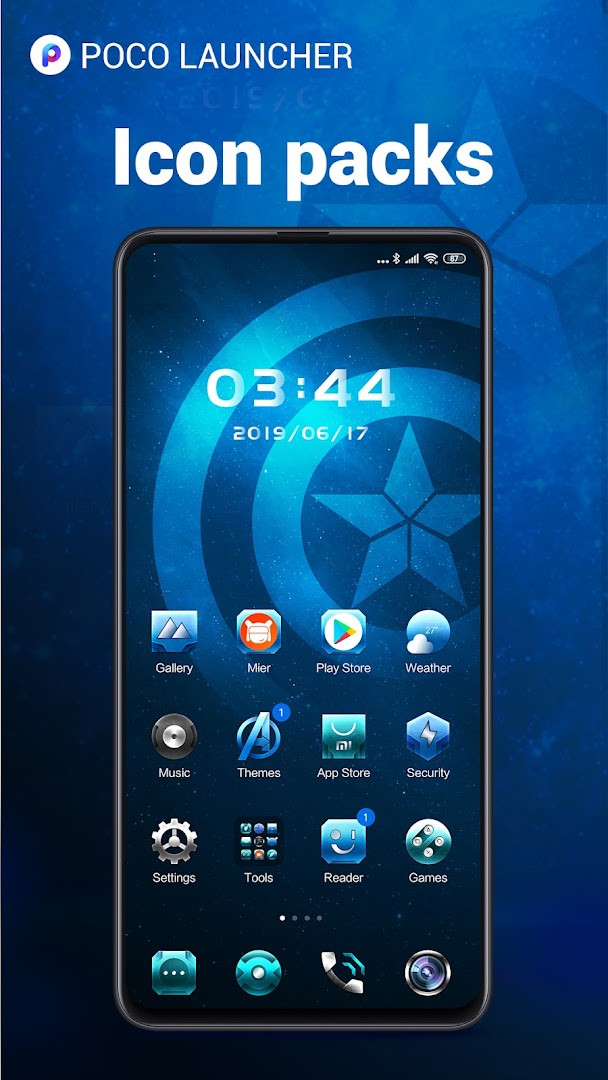
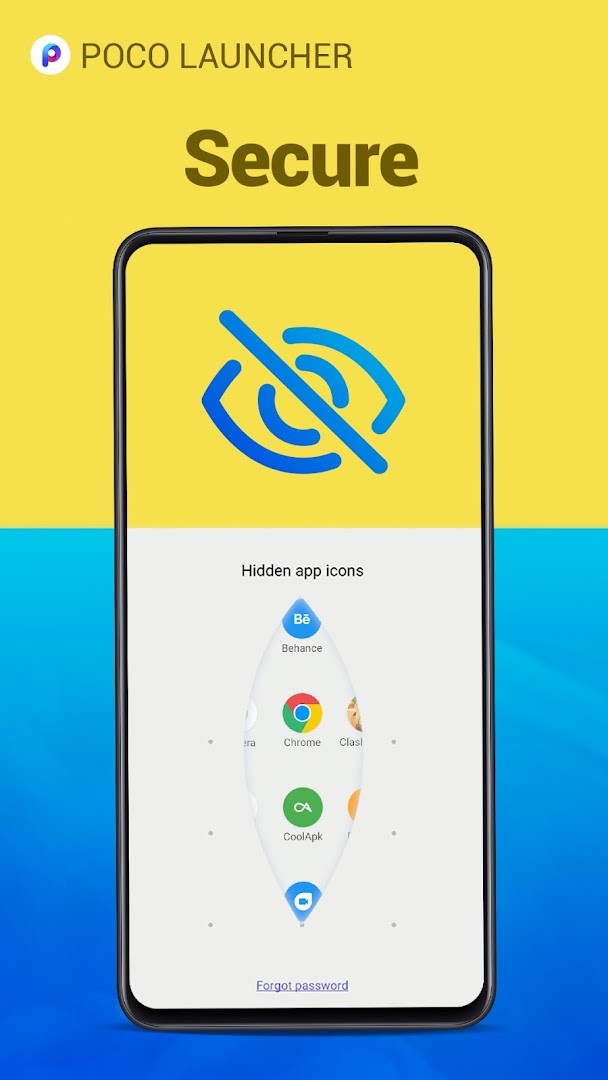
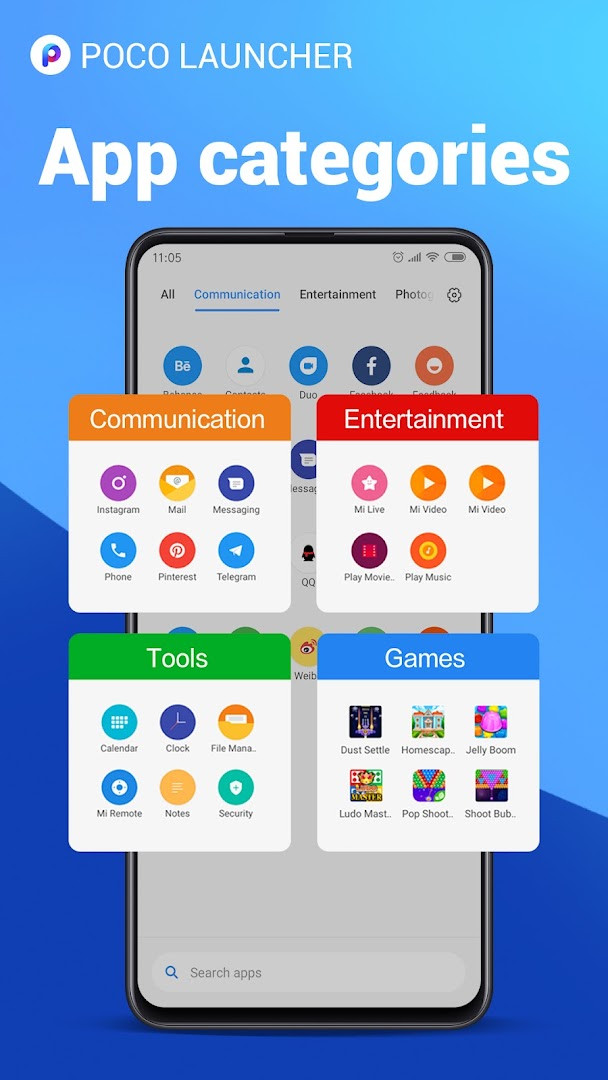
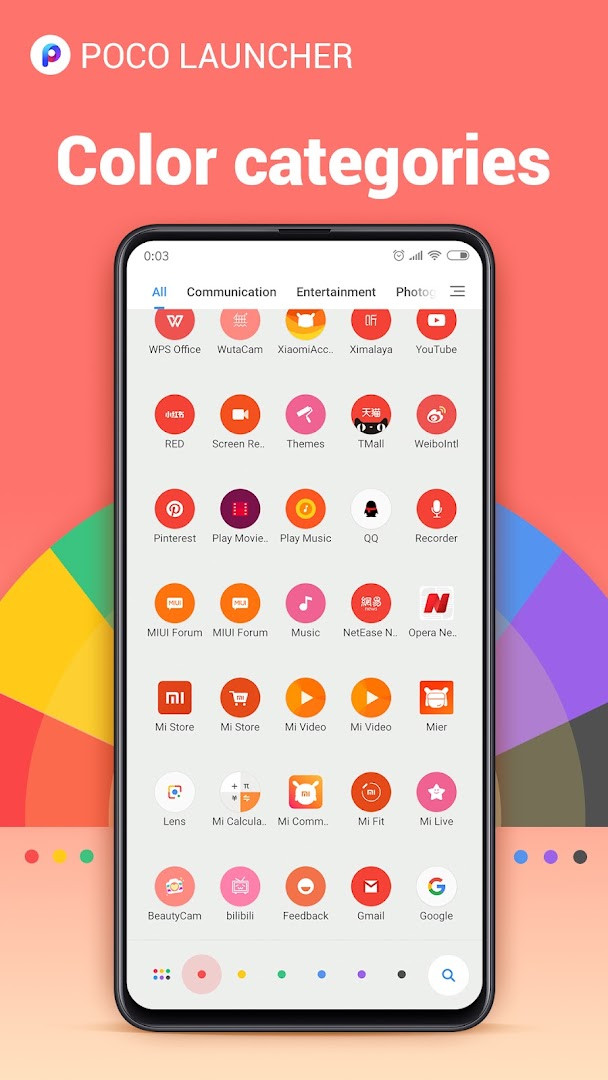
- Version
- 2.7.4.39
- Size
- 27 MB
- Requires Android
- 8.0
- Updated
- Mar 13, 2023
- Installs
- 100M+
- Rating
- ★ 4.48 (711,020)
- Category
- Personalization
- Developer
- Xiaomi Inc.
- Content rating
- Everyone
- Package
- com.mi.android.globallauncher
- Free
- ✓ · Contains ads
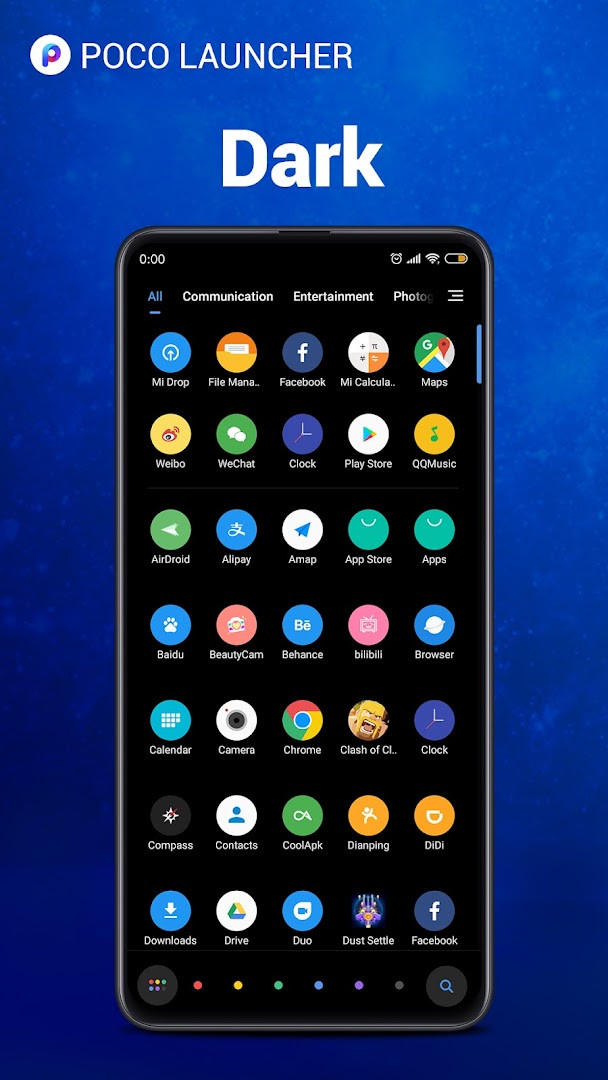
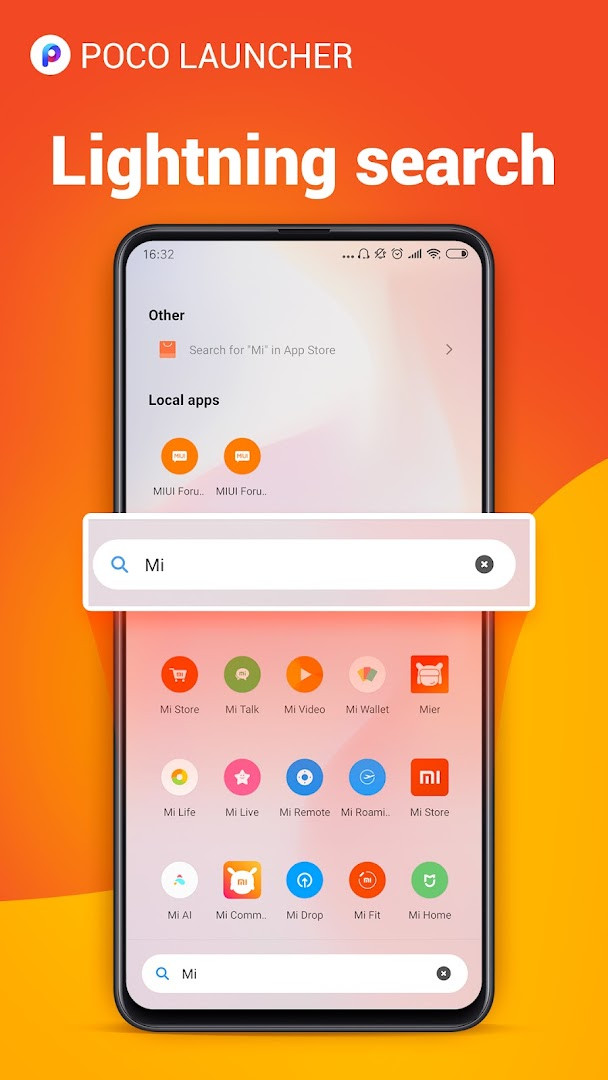
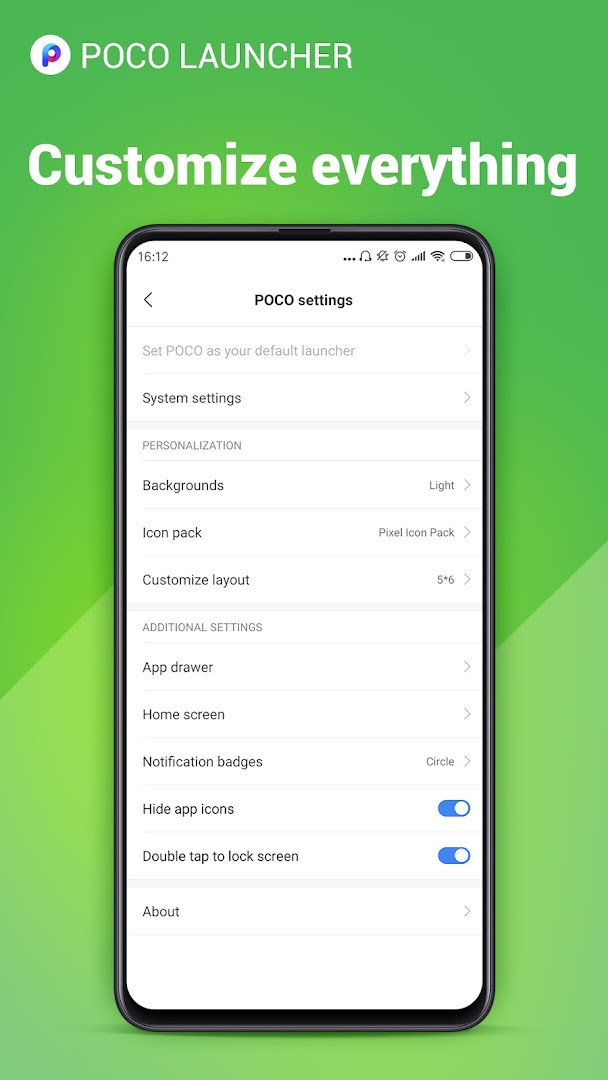
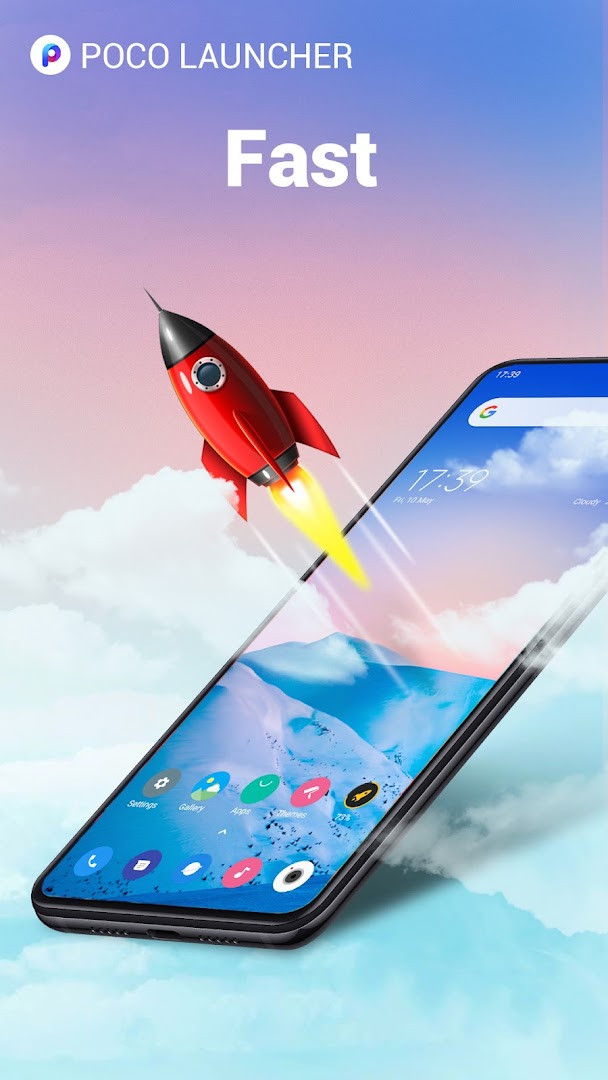
POCO Launcher 2.0 - Customize is a home screen replacement app by Xiaomi Inc. that lets you personalize your Android device's interface, manage apps efficiently, and access them quickly through a minimalist design. It was first released in 2018 and has since become a popular choice for users who want a fast, lightweight launcher that doesn't compromise on features. The app is designed to keep your home screen clean by placing all apps in a dedicated App Drawer, following Material Design principles. It offers a range of customization options, including resizable layouts, icon scaling, wallpapers, themes, and animations, as well as support for third-party icon packs. The launcher also includes a powerful search function that can suggest apps and categorize them by icon color, making it easier to find what you need. Additionally, it provides tools for grouping apps automatically or manually, hiding icons for privacy, and locking the home screen layout to prevent accidental changes. The latest version, 2.7.4.39, released on March 13, 2023, focuses on performance improvements and bug fixes, ensuring a smoother experience. It also introduced dark mode, customizable notification badges (dots or count) for Android 8.0 and later, double-tap to lock the screen, and enhanced local search results. The app is compatible with Android Q and has been optimized to work across various phone models, making it a versatile and reliable choice for Android users seeking a more personalized and efficient home screen.
Key features
- Minimalist design with a clean App Drawer to keep your home screen tidy
- Personalization options: resize home screen layout and app icons, apply custom wallpapers, themes, and animations
- Support for third-party icon packs to change the look of your device
- Convenient search with app suggestions and icon color categories
- Automatic or manual app grouping for quick access
- Hide app icons to keep private apps secure
- Dark mode for a reduced glare experience
- Customizable notification badges (dots or count) on Android 8.0 and later
- Double-tap to lock the screen
- Optimized performance for fast and smooth navigation
How to install
- Tap the download button on this page to get the APK file. The file size is not specified, but it is a lightweight launcher.
- When Android prompts, allow your browser or file manager to install apps by enabling the 'Install unknown apps' setting for that app.
- Open the downloaded APK file from your notification bar or file manager.
- Tap 'Install' on the installation screen and wait for the process to complete.
- After installation, tap 'Open' to launch POCO Launcher, or find it in your app drawer.
- The app requires Android 8.0 or higher to run.
Pros
- Lightweight and fast, improving device responsiveness
- Extensive personalization without cluttering the home screen
- Useful features like app hiding and double-tap to lock
- Dark mode for a modern look and reduced eye strain
- Active development with regular updates and bug fixes
- Wide device compatibility, including Android Q
Cons
- Ads are present in the app, which may be intrusive for some users
- Requires a relatively recent Android version (8.0+)
- Some features may vary depending on device model and manufacturer
- Permissions requested are broad, including location and contacts
- No in-app purchases to remove ads, as the app is free
Latest changes · 2.7.4.39
Version 2.7.4.39, dated March 13, 2023, focuses on maintenance rather than new features. The listed changes are bug fixes and performance optimization intended to improve fluency. The app requires Android 8.0 or later and remains free with ads and no in-app purchases. It is developed by Xiaomi Inc. and holds a 4.48 rating from 711,020 ratings, with 100,000,000 installs.
Older versions
| Version | Size | Requires Android | Updated |
|---|---|---|---|
| RELEASE-5.39.35.11203-05301911 | 22 MB | 13 | Jun 12, 2025 |
| RELEASE-5.39.35.10841-03212122 | 22 MB | 13 | Apr 30, 2025 |
| RELEASE-5.39.35.10556-02142213 | 21 MB | 13 | Mar 13, 2025 |
| RELEASE-4.39.14.7578-01311601 | 38 MB | 11 | Feb 22, 2024 |
| 2.7.4.43 | 27 MB | 8.0 | Aug 27, 2023 |
| 2.7.4.39 | 27 MB | 8.0 | Mar 13, 2023 |
| RELEASE-4.39.5.5856-01041951 | 24 MB | 7.0 | Jan 30, 2023 |
| 2.7.4.10 | 22 MB | 5.0 | Sep 2, 2020 |
This launcher is ideal for Android users who want to declutter their home screen and enjoy deep customization, including icon packs and layout adjustments. It also suits users who prioritize speed and performance, as well as those who value privacy features like hiding app icons. Additionally, it's a good fit for owners of various phone models looking for a consistent and fluid interface.
After installation, explore the launcher settings to adjust the icon size, grid layout, and enable dark mode. You can also set a double-tap gesture on the home screen to lock your device, which is handy for quick access without using the power button.
Permissions
FAQ
How do I install the POCO Launcher APK on my Android device?
To install the APK, you must first allow installation from unknown sources in your Android security settings. Then, open the downloaded APK file and follow the on-screen prompts to complete the setup.
What is new in the current version 2.7.4.39 of POCO Launcher?
Version 2.7.4.39, updated on March 13, 2023, focuses on bug fixes and performance optimizations to improve overall fluency.
Does POCO Launcher contain ads or require any purchases?
The launcher is free to use and contains ads. It does not offer any in-app purchases.
Can POCO Launcher be used without an internet connection?
Yes, the launcher can be used offline for all core functions like launching apps and navigating the home screen, though it may require a connection for certain features like downloading themes or icon packs.
What are some alternatives to POCO Launcher for customizing my home screen?
There are many other launchers available in the Personalization category that offer similar features like home screen customization, app drawers, and icon pack support, each with their own unique design philosophy and performance optimizations.
POCO Launcher 2.0 - Customize offers a compelling blend of speed, customization, and practicality for Android users. While the presence of ads and broad permissions may be drawbacks for some, the overall performance, regular updates, and feature set make it a strong choice for personalizing your device. If you're looking for a lightweight launcher that doesn't compromise on functionality, this is a worthy option to consider.
Similar apps
 Microsoft SwiftKey AI KeyboardSwiftKey4.3
 HiOS Launcher - FastTranssion Holdings4.0
 Zedge™ Wallpapers & RingtonesZedge4.7
 Nova Launcher: Home ScreenInstabridge Sweden AB3.5
 Fonts KeyboardFonts Keyboard3.9
 Themepack - App Icons, WidgetsYoloTech4.6
 Facemoji AI Emoji KeyboardNexileap4.7
 Launcher OS™Apps Genz4.4
More from this developer

Updated: Oct 16, 2026