
DevSwitch: Developer Options Toggle Tool
DevSwitch is a developer tool by retransmit that toggles Developer options, USB and wireless debugging from one screen and Quick Settings tiles.
Download DevSwitch · v1.3DevSwitch writes the same system settings as Android's own Settings app, so changes take effect immediately. It is aimed at developers and power users who frequently switch debugging modes, and it requires a one-time WRITE_SECURE_SETTINGS grant via ADB, Shizuku, or root. The app is free, open-source under GPLv3, requires Android 8.0 or later, and downloads at 2.1 MB.
Screenshots
- Version
- 1.3
- Size
- 2.1 MB
- Requires Android
- 8.0
- Updated
- Oct 12, 2026
- Category
- Tools
- Developer
- retransmit
- Package
- app.devswitch
- Free
- ✓
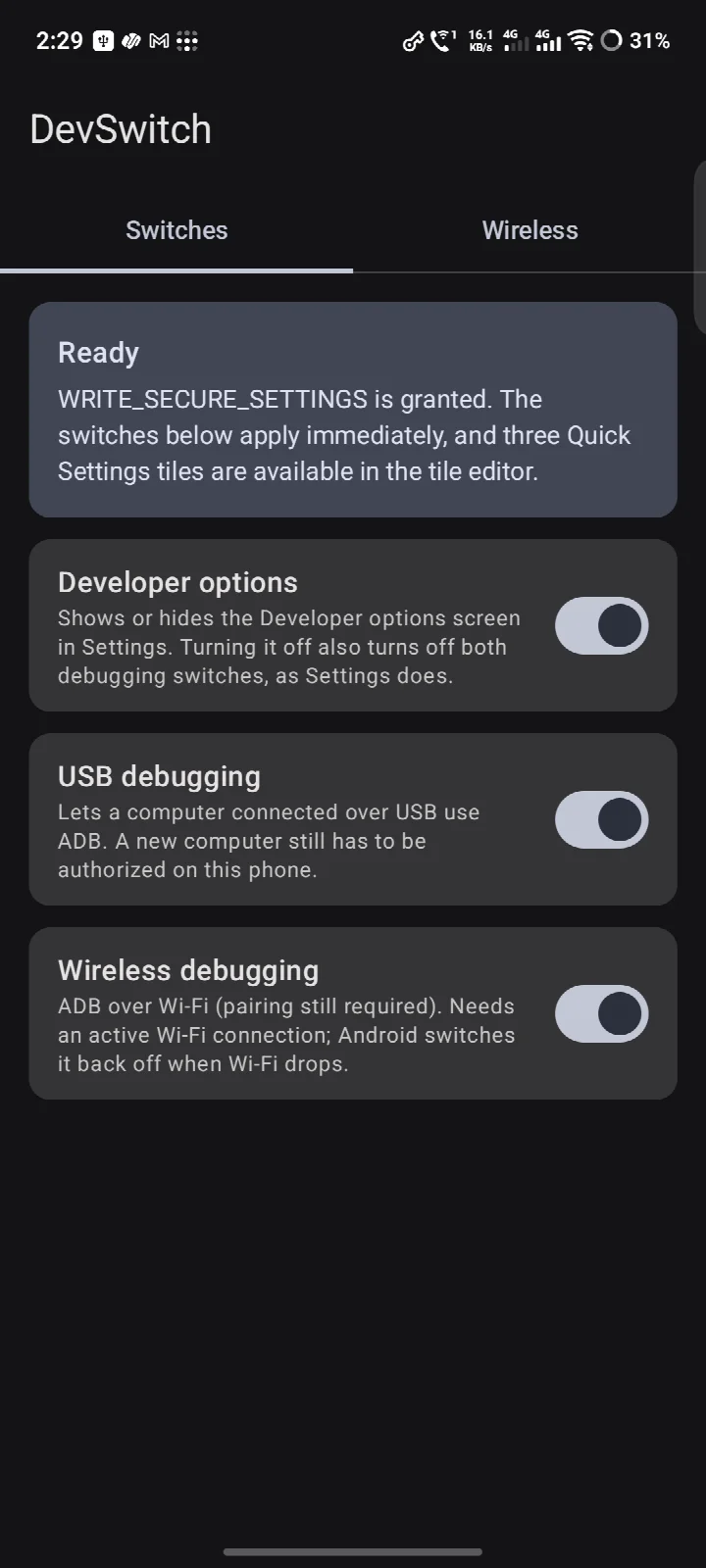
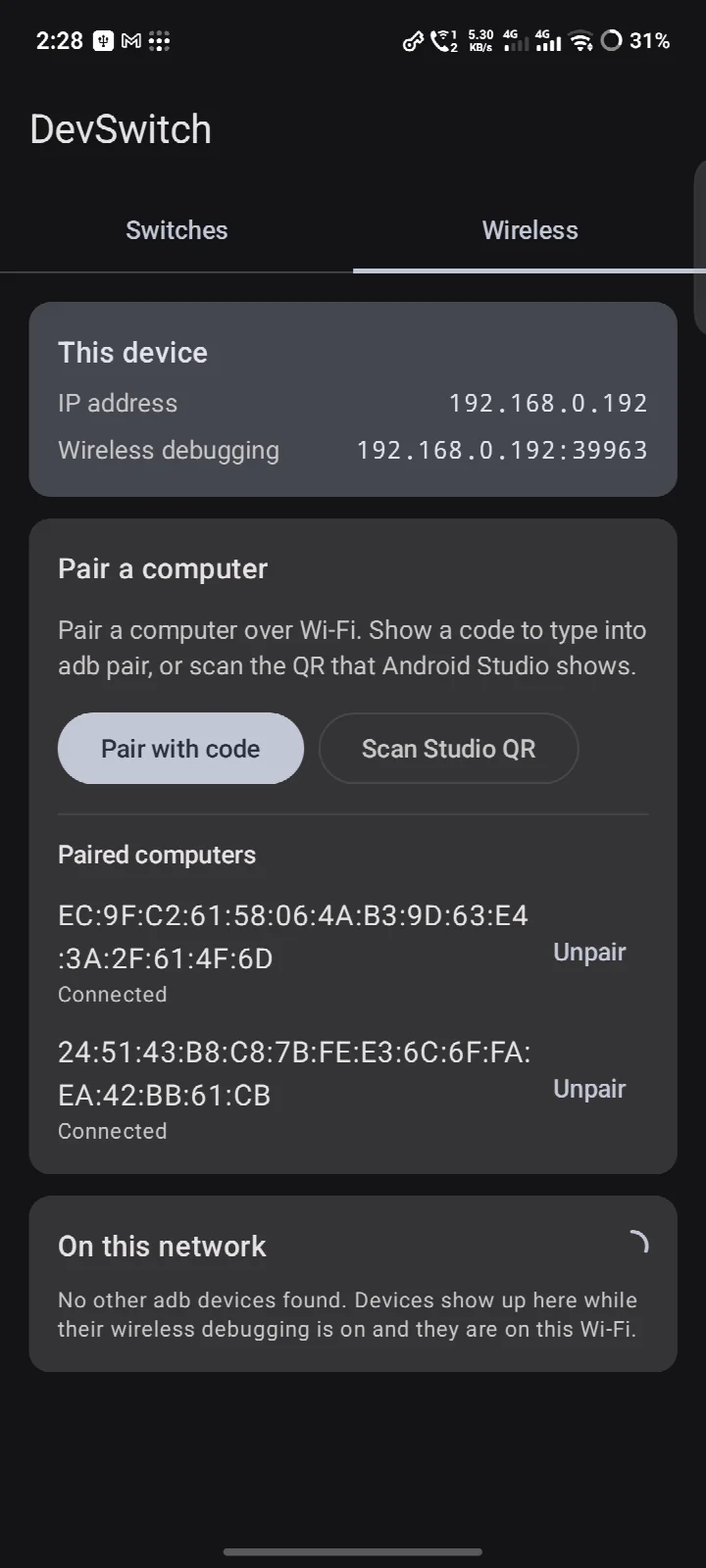
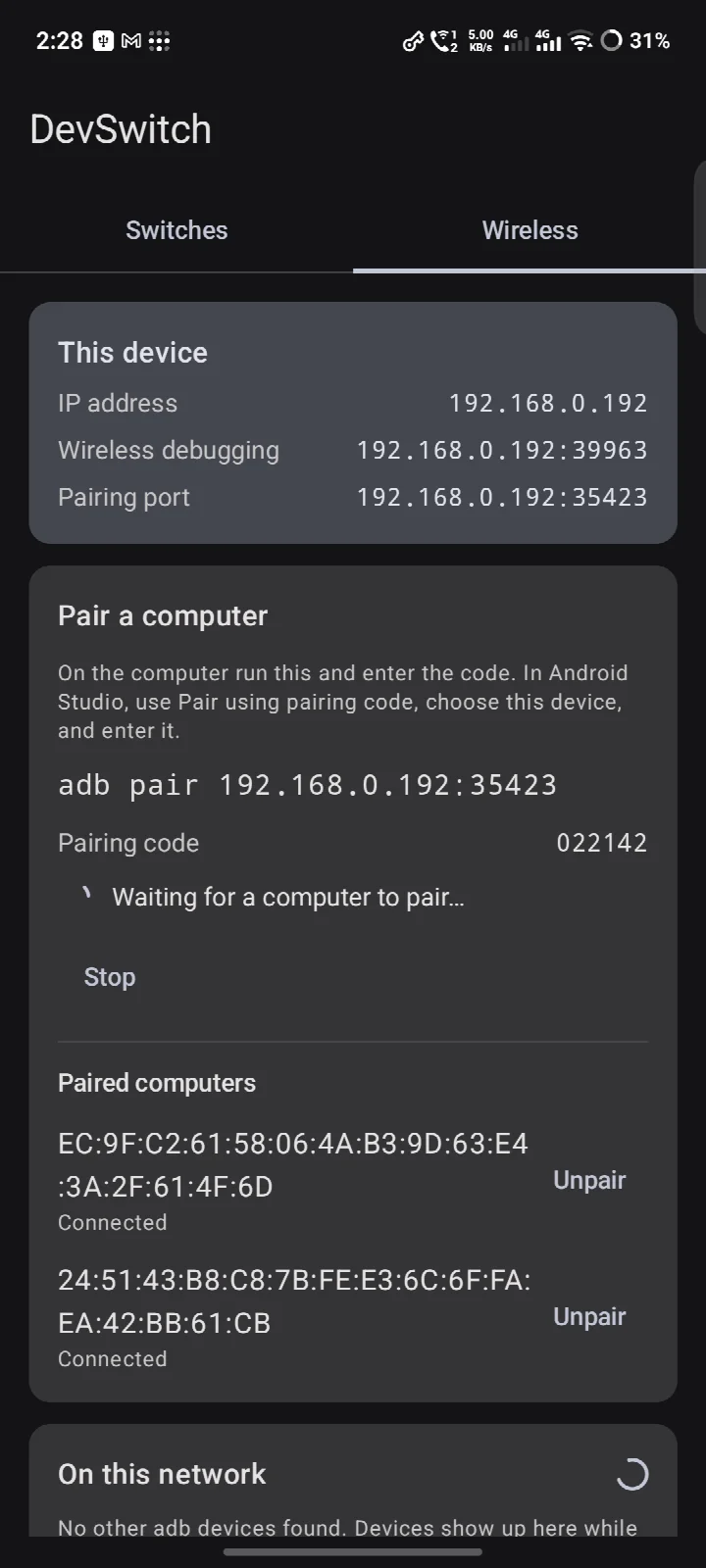
DevSwitch is a developer utility by retransmit that toggles Developer options, USB debugging, and wireless debugging from a single screen or from Quick Settings tiles. Android hides these settings deep in the system menu, and flipping them for a quick adb session or a debugging session usually means several taps through the Settings app. DevSwitch writes the same system settings that Android's own Settings app modifies, so the system reacts immediately: adbd starts or stops, and the Developer options screen appears or hides. This direct approach avoids the guesswork of third-party toggles that rely on simulated taps or accessibility services. The app requires a one-time grant of WRITE_SECURE_SETTINGS, which cannot be granted via a simple dialog; you can grant it from a computer with adb, on the phone through Shizuku, or with root. Once granted, the permission persists across reboots and app updates. The wireless tab provides the device's IP address, the live wireless debugging address, and a scan of adb devices on the Wi-Fi, plus pairing capabilities when Shizuku is active. Safety features include confirmation dialogs before disabling a switch or unpairing a computer, and the tiles refuse to operate from the lock screen. The app is free software under GPLv3, with no network services, accounts, or analytics.
Key features
- Toggle Developer options, USB debugging, and wireless debugging from one screen
- Three Quick Settings tiles for fast access without opening the app
- Grant WRITE_SECURE_SETTINGS via adb from a computer, through Shizuku, or with root
- Wireless tab shows the device's IP address and live wireless debugging address
- Scans for adb devices on the local Wi-Fi network
- With Shizuku running, lists paired computers and can pair new ones by code or QR
- Confirmation prompts before turning off a switch or unpairing a computer
- Quick Settings tiles are disabled on the lock screen for safety
How to install
- Tap the download button on this page to get the APK file, which is about 2.1 MB.
- When Android asks, allow your browser or file manager to install apps by enabling the 'Install unknown apps' setting for that app.
- Open the downloaded APK file from your notification or downloads folder.
- Tap Install and wait for the installation to complete.
- Open DevSwitch from your app drawer to start the one-time setup.
Pros
- Directly writes system settings, so toggles take effect immediately
- Quick Settings tiles provide one-tap access from anywhere
- No network services, accounts, or analytics—privacy-friendly
- Free and open-source under GPLv3
- Requires only a one-time permission grant that persists across reboots
Cons
- Requires WRITE_SECURE_SETTINGS, which needs a manual grant via adb, Shizuku, or root—not for casual users
- Limited utility if you don't regularly use adb or wireless debugging
- Wireless pairing features depend on Shizuku running
Older versions
| Version | Size | Requires Android | Updated |
|---|---|---|---|
| 1.3 | 2.1 MB | 8.0 | Oct 12, 2026 |
| 1.2 | 2.1 MB | 8.0 | Oct 8, 2026 |
| 1.1 | 2 MB | 8.0 | Oct 3, 2026 |
DevSwitch is aimed at developers, testers, and power users who frequently switch between debugging modes on their Android devices. If you regularly plug in a phone for adb commands, use wireless debugging for faster iteration, or toggle Developer options to troubleshoot, this app saves time by putting those controls in one place and on Quick Settings tiles. The one-time setup requirement means it suits someone comfortable with adb commands or willing to install Shizuku. It is less useful for beginners who rarely touch developer settings.
Grant WRITE_SECURE_SETTINGS via adb once, and it will persist across reboots. For wireless debugging, keep Shizuku running to use the pairing features. Use the confirmation prompts to avoid accidentally cutting an active adb connection.
FAQ
How do I install DevSwitch on my Android device?
After installing the APK, DevSwitch needs the WRITE_SECURE_SETTINGS permission to work. You can grant this once using ADB from a computer, through the Shizuku app, or with root access.
What is the latest version of DevSwitch?
The current release is version 1.3, dated October 12, 2026. It requires Android 8.0 or later and the download size is about 2.1 MB.
Does DevSwitch contain ads or require purchases?
DevSwitch is completely free and open-source software, licensed under GPLv3. There are no in-app purchases, ads, or analytics of any kind.
Can I use DevSwitch without an internet connection?
The app works perfectly offline for toggling settings. The only network activity is optional local Wi-Fi scanning to discover ADB devices on your network and display IP addresses.
What are some alternatives to DevSwitch in the same category?
DevSwitch belongs to the Development category, offering focused control over system debugging settings. Similar tools in this space may provide broader developer feature management, but DevSwitch specializes in quick and direct toggles for USB and wireless debugging.
Is version 1.3 the first release of DevSwitch?
Yes, version 1.3 is the initial public release that became available on September 22, 2026, with subsequent minor updates leading to the current build.
DevSwitch is a focused, privacy-conscious tool for managing developer settings on Android. It is not for everyone, but for those who need quick access to debugging toggles, it delivers a clean and effective solution.
Similar apps








More from this developer

Updated: Oct 14, 2026