Device Care
Device Care is a system utility from Samsung Electronics Co., Ltd. for keeping Galaxy smartphones in good condition.
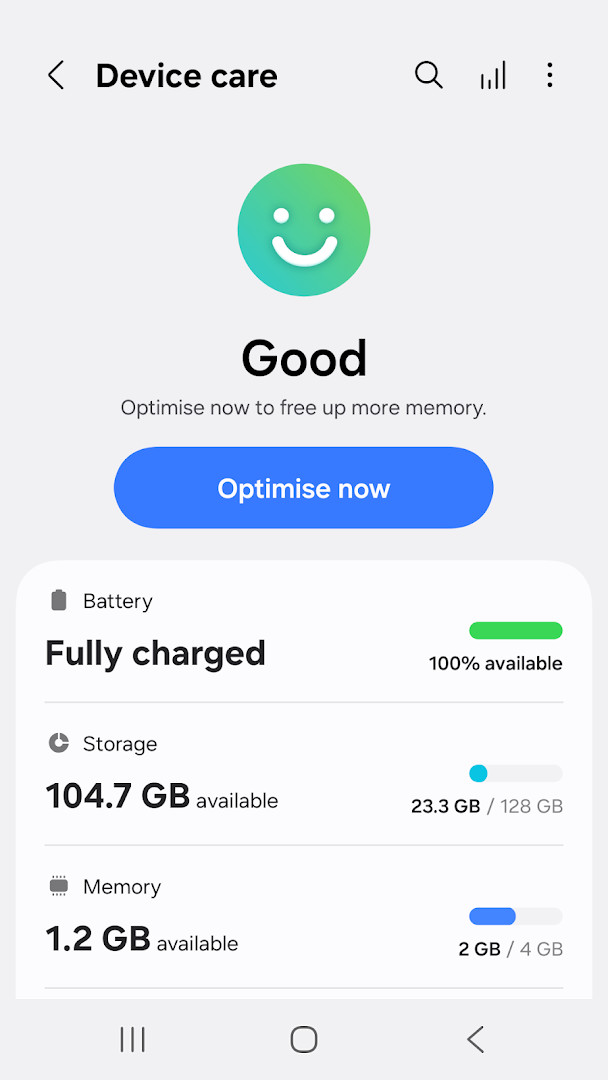
Download Device CareDevice Care is for Galaxy smartphone owners who want to maintain their phone without expert knowledge. It reports device condition on a 100-point scale, optimizes with one click, analyzes battery usage, manages memory, and detects malware. The app is free, contains no ads or in-app purchases, requires Android 11 or newer, and has a size of about 27 MB.
Screenshots
- Size
- 27 MB
- Requires Android
- 11
- Updated
- Sep 3, 2026
- Installs
- 5B+
- Rating
- ★ 3.91 (696,919)
- Category
- Tools
- Developer
- Samsung Electronics Co., Ltd.
- Content rating
- Everyone
- Package
- com.samsung.android.lool
- Free
- ✓
Device Care is a system utility by Samsung Electronics Co., Ltd. that helps maintain the health and performance of a Galaxy smartphone. It provides a centralized view of the device condition and offers quick actions to improve battery life, memory usage, and security.
The app is designed for Galaxy users who want straightforward maintenance without expert knowledge. It displays the current state of the phone on a 100-point scale and allows one-click optimization. Battery analysis works on a per-app basis, and unused or battery-draining apps can be identified and managed.
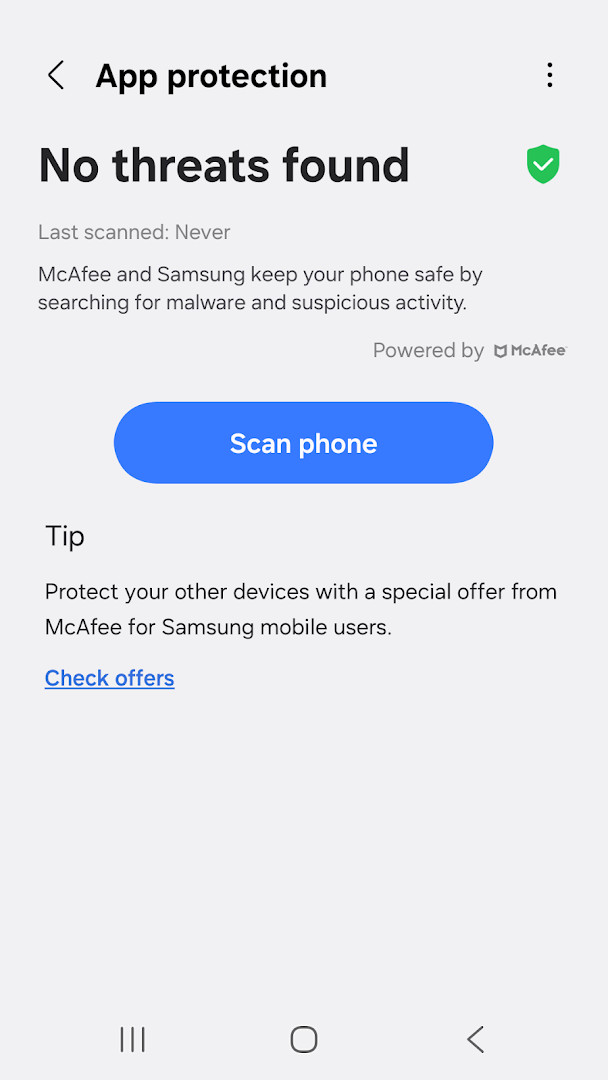
It also includes memory management, power saving modes, and malware detection with real-time protection. The interface uses an intuitive layout so that checking the device condition and taking prompt action is possible at a single glance. Some features may not be supported on all Galaxy devices, and app updates are only available on some devices.
Key features
- Reports the current condition of the smartphone on a 100-point scale.
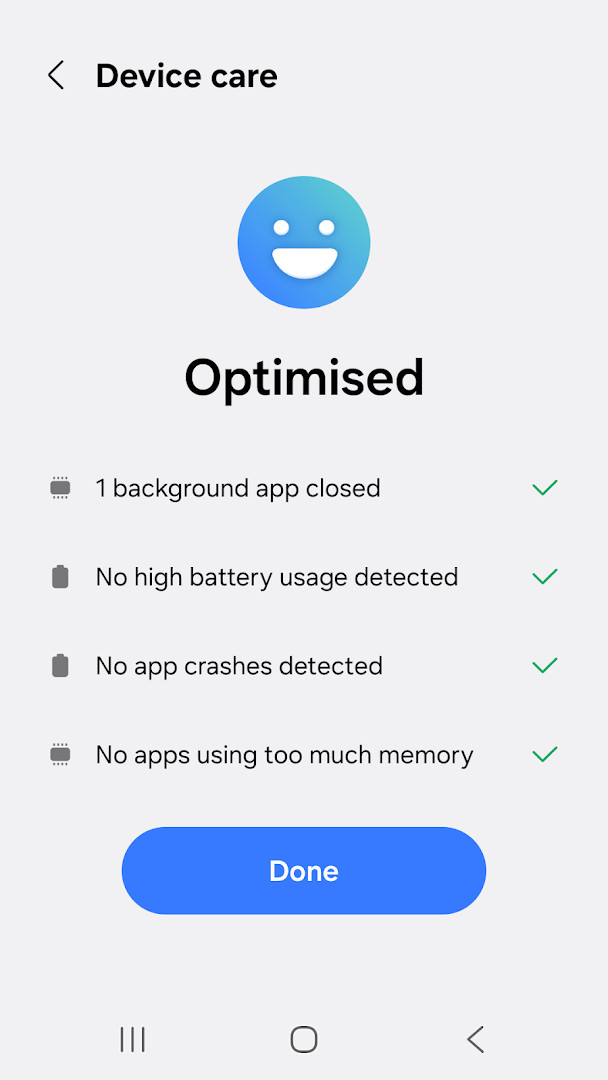
- Optimizes the device in one simple click.
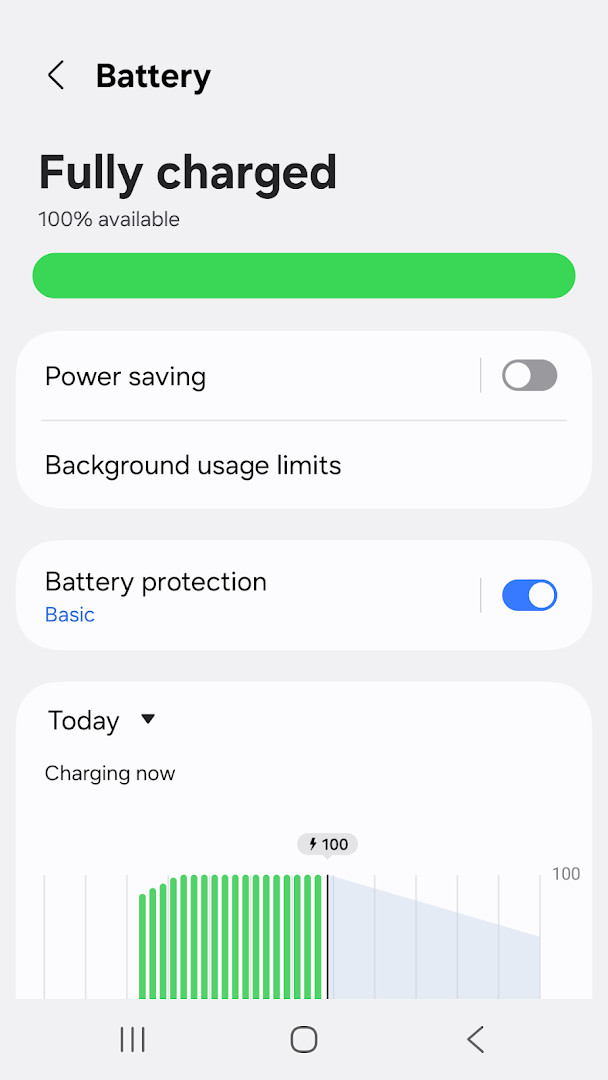
- Analyzes battery usage on a per-app basis and identifies battery-draining apps.
- Provides Power saving mode and Maximum power saving mode.
- Manages and frees up memory efficiently.
- Detects malware such as viruses and spyware and provides real-time protection.
- Offers two widget types for convenience.
How to install
- Tap the download button on this page to get the APK file.
- When Android asks, allow your browser or file manager to install apps by enabling the "Install unknown apps" setting.
- Open the downloaded APK file from your notifications or file manager.
- Tap Install and wait for the process to finish. The file size is 27 MB and the app requires Android 11 or higher.
- Open the app and follow the initial prompts to start checking your device condition.
Pros
- One-click optimization simplifies routine maintenance.
- Per-app battery analysis helps identify background drain.
- Includes memory cleanup and malware detection in one tool.
- Two widget types provide quick access to device status.
- Optional permissions allow basic use without granting everything.
Cons
- Some features are unavailable on certain Galaxy devices.
- App updates through standard distribution channels are limited to select devices.
- Required permissions include device and app history as well as Wi-Fi connection information.
- The 100-point condition score is a simplified summary and may not reflect every underlying issue.
Older versions
| Version | Size | Requires Android | Updated |
|---|---|---|---|
| 13.8.82.1 | 27 MB | 11 | May 29, 2026 |
| 13.8.81.1 | 27 MB | 11 | May 29, 2026 |
| 13.8.80.7 | 27 MB | 11 | May 14, 2026 |
| 13.8.71.1 | 24 MB | 11 | Jan 16, 2026 |
| 11.0.11.0 | 11 MB | 10 | Apr 24, 2022 |
| 2.1.00.3 | 7.8 MB | 7.0 | Feb 5, 2020 |
| 11.0.01.18 | 17 MB | 9 | Oct 24, 2019 |
This app is best for owners of compatible Samsung Galaxy smartphones who want a built-in-style maintenance tool for battery, memory, and security checks. It suits users who prefer a simple dashboard over separate utility apps and do not mind the required device and network permissions.
Run the 100-point check after installing new apps or system updates to spot changes in battery drain or memory pressure. If you skip optional permissions, core functions still work, but notifications and some event alerts will be limited.
Permissions
FAQ
Is Device Care free to download and use?
Yes, Device Care is free. It has no ads and no in-app purchases.
What Android version do I need?
Device Care requires Android 11 or higher.
How large is the app file?
The app size is 27 MB.
Does Device Care require an account?
No, you do not need to create an account to use Device Care.
What permissions does Device Care request?
Device Care requests permission to access device & app history and Wi-Fi connection information. The app also uses notifications to inform you about updates and events.
How do I update Device Care?
To update, download the latest version from this page. Check back here for new releases.
Device Care brings together diagnostics, cleanup, and security tools in a single utility. Its straightforward presentation makes routine maintenance quick, while the optional permissions keep the basic workflow accessible. For owners of compatible Galaxy hardware, it is a practical way to keep the device running smoothly without third-party utilities.
Similar apps
 ClockSamsung Electronics Co., Ltd.3.9
 Voice RecorderSamsung Electronics Co., Ltd.4.0
 Samsung Smart Switch MobileSamsung Electronics Co., Ltd.3.9
 Samsung MusicSamsung Electronics Co., Ltd.3.8
 SmartThingsSamsung Electronics Co., Ltd.4.6
 Digital WellbeingGoogle LLC3.6
 Speech Recognition & SynthesisGoogle LLC4.0
 Android Accessibility SuiteGoogle LLC4.1
More from this developer



Updated: Oct 14, 2026