Samsung Keyboard: Android Keyboard App
Samsung Keyboard is a productivity keyboard app by Samsung Electronics Co., Ltd. that offers multilingual typing, predictions, and customization.
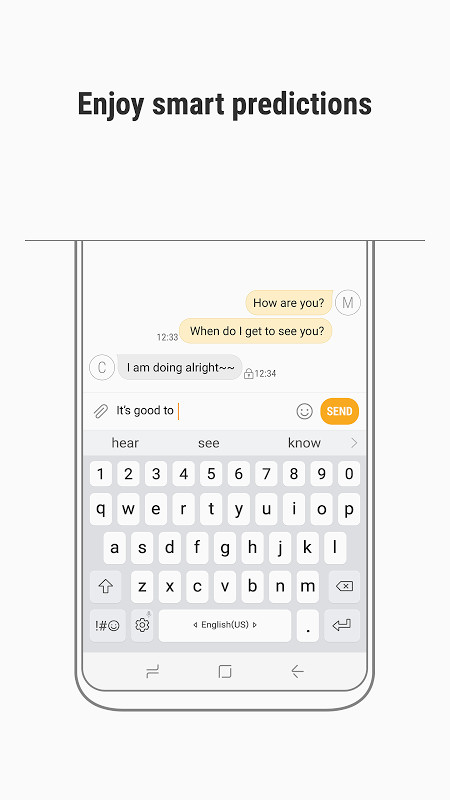
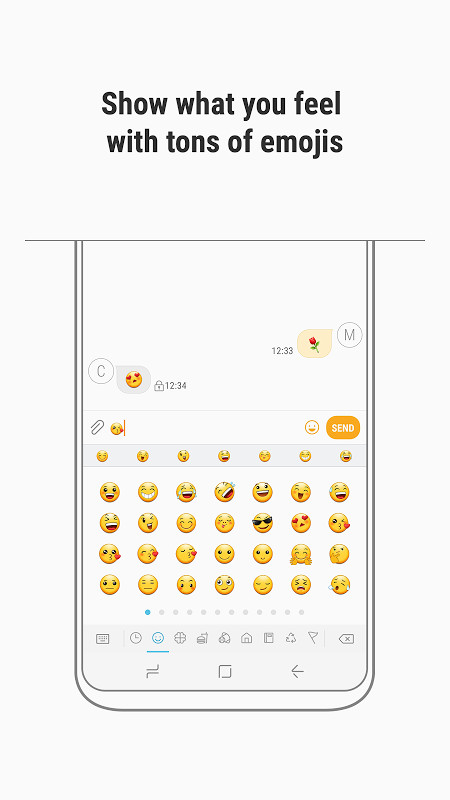
Download Samsung Keyboard · v2.1.03.23Samsung Keyboard supports over 80 languages, including English, Italian, Spanish, Portuguese, German, and French, with a swipe gesture on the space bar to switch input languages. It includes features like word prediction, auto spell check, voice input, handwriting recognition, and access to more than 3,000 emojis.
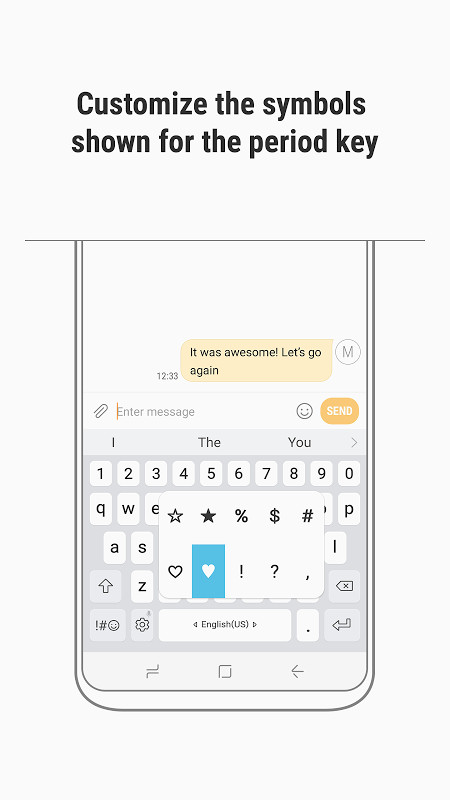
Screenshots
- Version
- 2.1.03.23
- Size
- 58 MB
- Requires Android
- 7.0
- Updated
- Apr 19, 2025
- Installs
- 1B+
- Rating
- ★ 3.71 (222)
- Category
- Productivity
- Developer
- Samsung Electronics Co., Ltd.
- Content rating
- Everyone
- Package
- com.sec.android.inputmethod
- Free
- ✓
Samsung Keyboard is a productivity app by Samsung Electronics Co., Ltd. that provides an enhanced on-screen typing experience for Android devices. Designed primarily for Samsung hardware, it offers multilingual input, predictive text, and a variety of customization options to make everyday typing faster and more accurate.
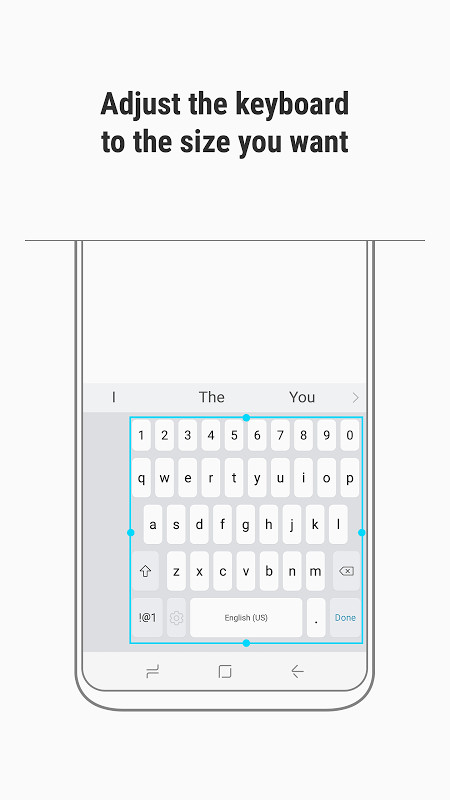
The application supports over 80 languages, including multiple regional variants such as English (US, UK, AU), Spanish (US, ES), and French (FR, CA). Users can switch languages quickly by swiping the space bar left or right. Beyond basic text entry, the keyboard includes auto spell check, voice input, handwriting recognition, and access to more than 3,000 emojis. It also saves frequently used symbols and lets you adjust the keyboard size to suit your typing style.
Version 2.1.03.23, updated on 2025-04-19, continues to refine the typing experience. While the update does not introduce a headline feature in the available notes, it maintains the app's focus on predictive recommendations, multilingual support, and integration with Samsung services. The app remains free to use and is rated for everyone, though its permission footprint is substantial.
Key features
- Supports over 80 languages with quick switching by swiping the space bar.
- Predictive text that recommends words and phrases as you type.
- Auto spell check with automatic suggestions for misspelled words.
- Voice input and handwriting recognition for alternative input methods.
- Access to over 3,000 emojis and customizable period key symbols.
- Saves frequently used symbols for easy access.
- Adjustable keyboard size and layout to fit your preferences.
How to install
- Tap the download button on this page to get the APK file, which is about 58 MB in size.
- When Android asks, allow your browser or file manager to install apps by enabling the 'Install unknown apps' setting.
- Open the downloaded APK file from your notification shade or file manager.
- Tap Install and wait for the process to complete.
- Open the app and follow any on-screen prompts to set it as your active keyboard. Your device must run Android 7.0 or newer.
Pros
- Broad language support with over 80 languages and regional variants.
- Multiple input methods, including voice and handwriting.
- Extensive emoji library and symbol customization.
- Free to download and use.
- Adjustable size and layout for comfortable typing.
- Integrated with Samsung services for backup and dictation.
Cons
- Requests a wide range of permissions, including access to contacts, accounts, and system settings, which may concern privacy-focused users.
- User rating of 3.71 suggests mixed real-world satisfaction compared with some alternatives.
- Requires Android 7.0 or newer, excluding older devices.
- Some advanced features may depend on other Samsung services or hardware.
- The large feature set can feel overwhelming if you only need basic typing.
Older versions
| Version | Size | Requires Android | Updated |
|---|---|---|---|
| 2.1.03.23 | 58 MB | 7.0 | Apr 19, 2025 |
Samsung Keyboard is best suited for Samsung device owners who want a deeply integrated typing experience, multilingual users who regularly switch between languages, and anyone who values extensive emoji, voice input, and handwriting options.
If you type in several languages, swipe the space bar left or right to switch quickly; you can manage the enabled languages in the keyboard settings to keep the list relevant to your daily use.
Permissions
FAQ
How do I install the Samsung Keyboard APK on my Android device?
To install the APK on your Android device, you need to enable installation from unknown sources in your security settings, then open the downloaded file. The app requires Android 7.0 or higher and about 58 MB of storage.
What is the current version of Samsung Keyboard and what does it include?
Version 2.1.03.23, released on April 19, 2025, is the most recent update. It brings improvements to the app’s stability and typing experience.
Does Samsung Keyboard contain ads or in-app purchases?
The app is completely free to download and use. There are no advertisements or in-app purchases mentioned.
Can I use Samsung Keyboard without an internet connection?
Yes, the keyboard’s core features like typing, auto spell check, and voice input work offline. However, some functions such as language resource updates may require an internet connection.
How does Samsung Keyboard compare to other keyboard apps in the Productivity category?
While other productivity keyboards exist, Samsung Keyboard stands out with handwriting recognition, over 3,000 emojis, and support for more than 80 languages.
Samsung Keyboard is a capable and well-integrated typing tool for users already invested in Samsung's ecosystem. Its rich feature set and extensive language support are clear advantages, though the broad permission list and modest user rating suggest it may not be the best fit for everyone seeking a lightweight or privacy-minimal keyboard.
Similar apps








More from this developer




Updated: Oct 16, 2026