
Samsung Music for Android
Samsung Music is a music player app from Samsung Electronics Co., Ltd. for playing and managing audio files on Samsung Galaxy devices.
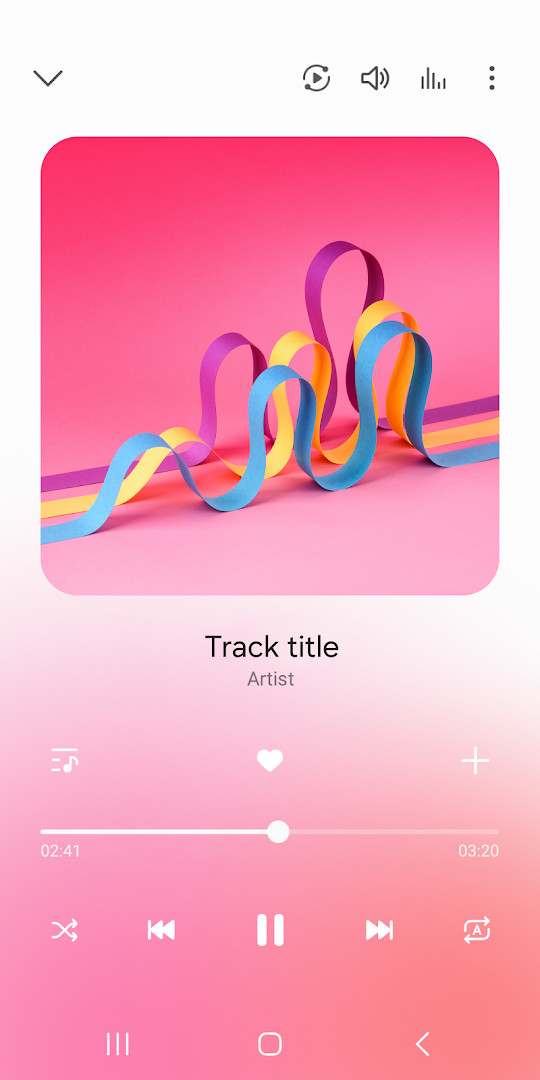
Download Samsung Music · v16.2.44.0Samsung Music is designed for Samsung Galaxy users who want a dedicated player for their local music library. It supports MP3, AAC, and FLAC formats, organizes songs by track, album, artist, genre, folder, and composer, and offers a clean interface. The app is free, requires Android 9 or higher, and is about 34 MB in size.
Screenshots
- Version
- 16.2.44.0
- Size
- 34 MB
- Requires Android
- 9
- Updated
- Jun 22, 2026
- Installs
- 1B+
- Rating
- ★ 3.82 (820,589)
- Category
- Entertainment
- Developer
- Samsung Electronics Co., Ltd.
- Content rating
- Teen
- Package
- com.sec.android.app.music
- Free
- ✓ · Contains ads
Samsung Music is a music player app by Samsung Electronics Co., Ltd. that lets you play and organize audio files stored on your device. It is built mainly for Samsung Galaxy phones and tablets, though it can also be used on other Android devices that meet the minimum system requirements.
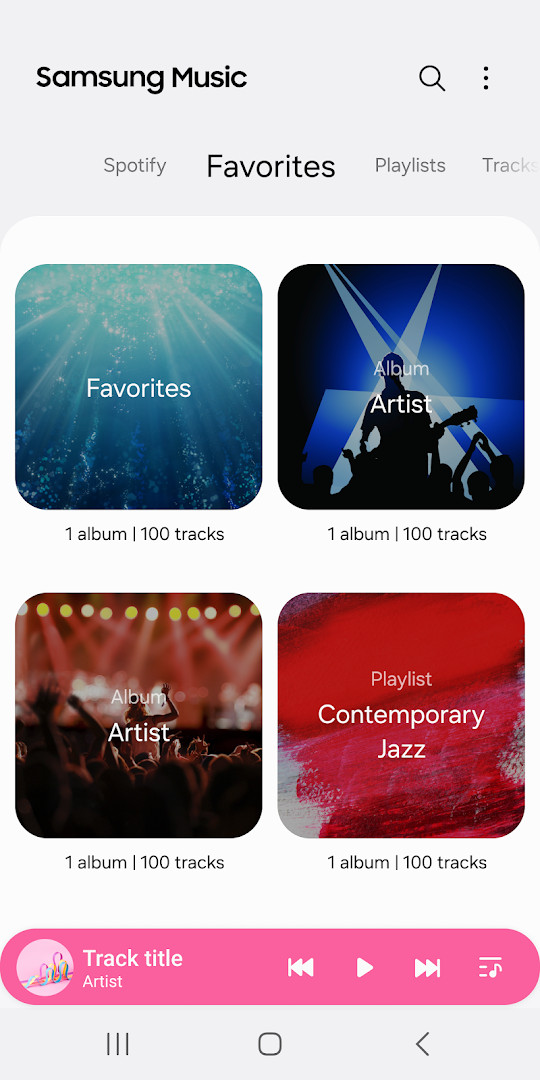
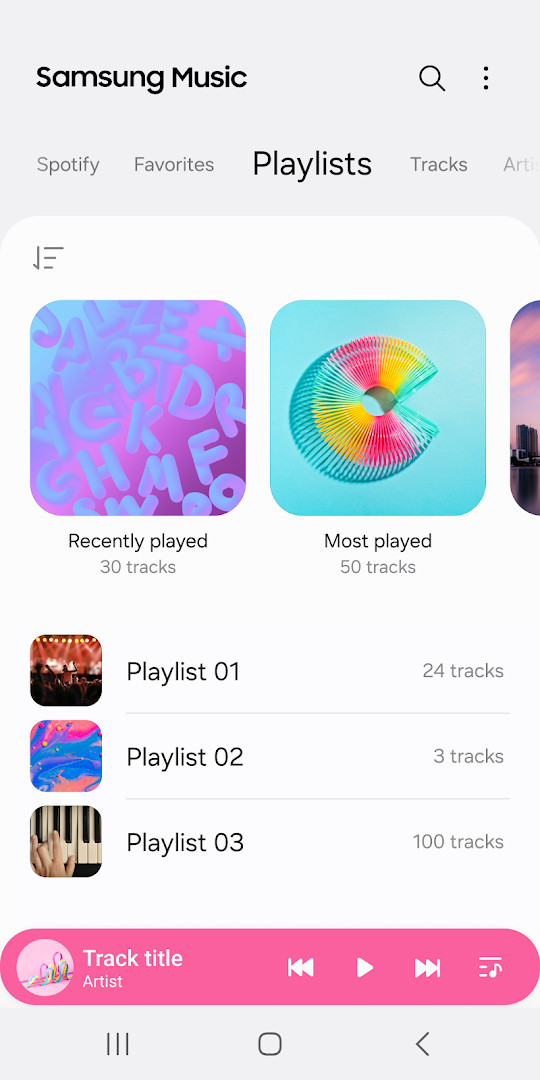
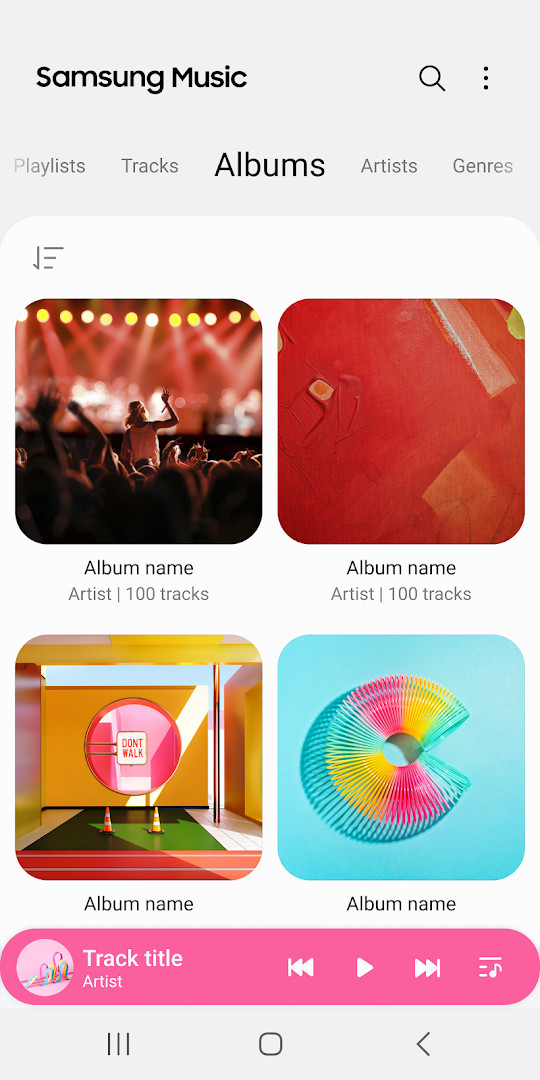
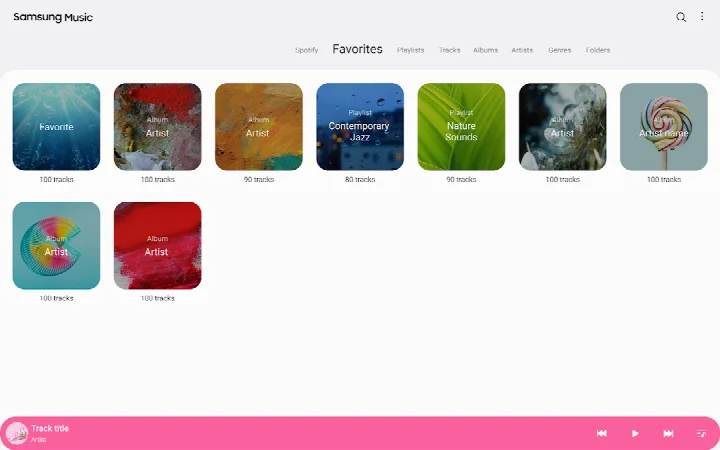
The app focuses on local music playback, supporting formats such as MP3, AAC, and FLAC. You can browse your library through different views like track, album, artist, genre, folder, and composer, which makes finding a specific song or collection easier. A clean interface keeps the main controls straightforward, so beginners can start listening without a steep learning curve.
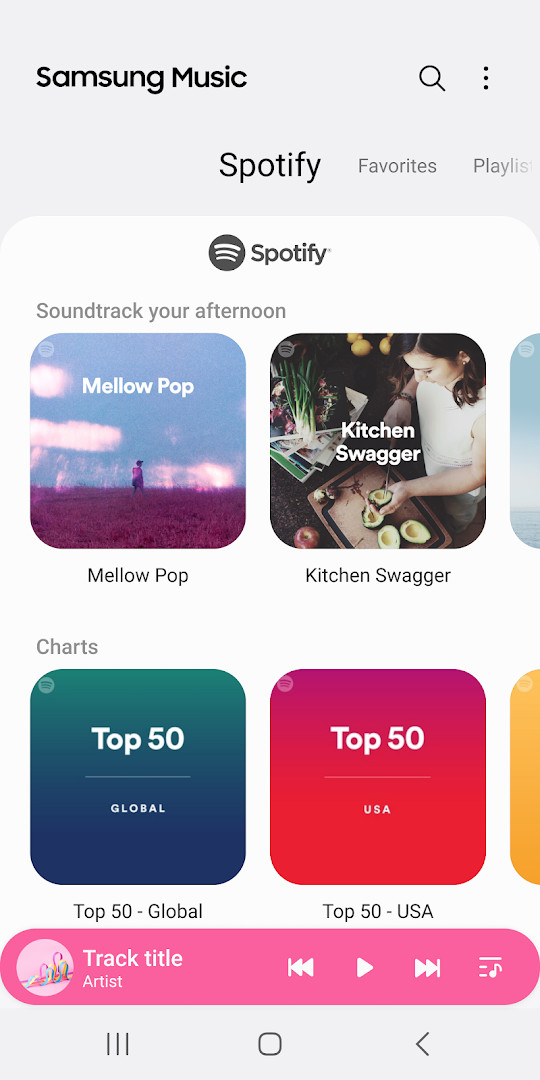
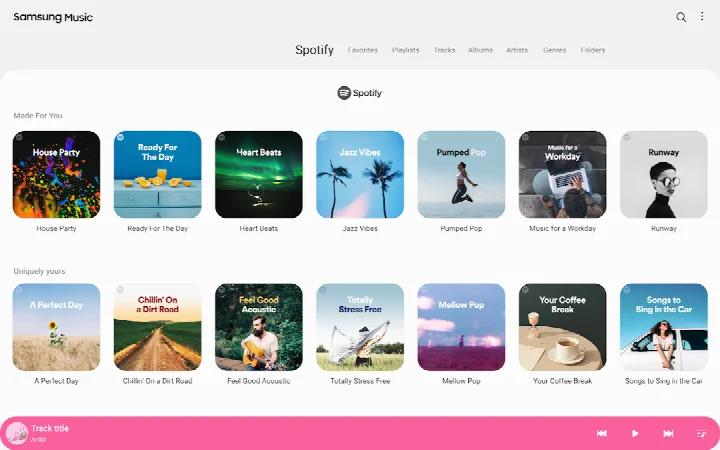
Samsung Music also includes extras that go beyond basic playback. A Spotify tab can show playlist recommendations in supported regions, and a home screen widget provides quick access. The app is free to download, but it does show ads. It is aimed at people who want a simple, dependable player for music already saved on their phone.
Key features
- Supports playback of common sound formats, including MP3, AAC, and FLAC.
- Organizes song lists by categories such as Track, Album, Artist, Genre, Folder, and Composer.
- Offers a clean and intuitive user interface.
- Displays Spotify playlist recommendations through a dedicated Spotify tab where the service is available.
- Includes a 2x2 widget for quick access from the home screen.
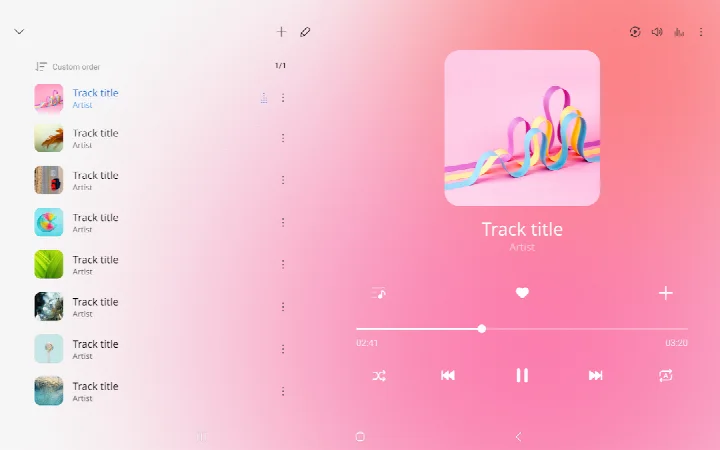
- Lets you check the song order in the current playlist when playing randomly.
How to install
- Tap the download button on this page to get the Samsung Music APK file.
- When Android shows a prompt, allow your browser or file manager to install apps by enabling the "Install unknown apps" setting.
- Open the downloaded APK file. The file size is about 34 MB.
- Tap Install and wait for the process to finish.
- Open the app from your app drawer. Your device must run Android 9 or a newer version.
Pros
- Simple, beginner-friendly interface that is easy to navigate.
- Plays several common audio formats, including FLAC for higher-quality files.
- Free to download and use.
- Offers multiple ways to sort and browse your music library.
- Includes a home screen widget for convenient control.
- Shows Spotify recommendations in supported regions for music discovery.
Cons
- Contains ads, which may interrupt the experience for some users.
- Spotify playlist recommendations are only available in countries where Spotify operates.
- The app is designed mainly for Samsung Android devices, so the experience may differ on other brands.
- Several permissions are requested, including phone and device ID information, which some users may find unnecessary.
- The reported rating of 3.82 suggests some users have encountered issues or limitations.
Latest changes · 16.2.44.0
Version 16.2.44 added a 2x2 widget. While playing in shuffle mode, the current playlist now shows the actual song order.
Older versions
| Version | Size | Requires Android | Updated |
|---|---|---|---|
| 16.2.45.1 | 34 MB | 9 | Jun 23, 2026 |
| 16.2.44.0 | 34 MB | 9 | Jun 22, 2026 |
| 16.2.42.0 | 32 MB | 9 | Jun 14, 2026 |
| 16.2.39.12 | 23 MB | 7.0 | Jan 25, 2025 |
| 16.2.33.6 | 38 MB | 11 | Oct 16, 2023 |
| 16.2.28.5 | 25 MB | 6.0 | Aug 21, 2022 |
| 6.0 | 0.7 MB | 5.0 | Nov 30, 2018 |
| 1.0.69 | 1 MB | 5.1 | Sep 5, 2018 |
| 6.0.1 | 6.5 MB | 4.2 | Jul 5, 2015 |
| 13110101.1.50.02 | 6.7 MB | 4.3 | Jun 1, 2015 |
Samsung Music is a good fit for Galaxy phone and tablet owners who want a simple, free player for music stored on their device. It is especially suited to beginners who prefer an uncluttered layout over advanced audio tweaks, and to anyone who regularly listens to local files in formats like MP3, AAC, or FLAC.
If the Spotify tab does not appear, your country may not have Spotify service available. To make the most of the player, place your music files in a folder on the device or SD card and grant the storage permission when prompted. You can also try the category views to quickly jump between albums, artists, or folders instead of scrolling through one long list.
Permissions
FAQ
Which audio file formats does Samsung Music support?
Samsung Music supports playback of MP3, AAC, and FLAC files. Note that the exact set of supported formats can vary by device model.
How can I organize my music library in Samsung Music?
You can browse and manage your songs by categories such as Track, Album, Artist, Genre, Folder, and Composer, making it easier to find and play specific tracks.
Does Samsung Music integrate with Spotify?
Yes, Samsung Music has a Spotify tab that shows playlist recommendations from Spotify, allowing you to discover music you might like. This feature is only available in countries where Spotify service is offered.
What are the required permissions for Samsung Music?
The app requires access to Music and Audio (Storage) to store and play audio files and to read data from an SD card. Optional permissions include Notifications and Phone (the latter only on Korean devices). Denying optional permissions should not affect basic functionality.
How can I contact support for Samsung Music?
You can reach support through the app by going to More (three dots) > Settings > Contact Us. Note that the Samsung Members app must be installed on your device to use this feature.
Samsung Music is a dependable, no-cost player for everyday listening on Galaxy devices. Beginners will appreciate its clean layout, broad format support, and simple installation, while those who want deeper library control can explore its category views and optional Spotify tab. It may not be for everyone, but it covers the basics well.
Similar apps
 ClockSamsung Electronics Co., Ltd.3.9
 Voice RecorderSamsung Electronics Co., Ltd.4.0
 Samsung Smart Switch MobileSamsung Electronics Co., Ltd.3.9
 Galaxy WearableSamsung Electronics Co., Ltd.3.7
 SmartThingsSamsung Electronics Co., Ltd.4.6
 Google TVGoogle LLC3.9
 YouTubeGoogle LLC3.8
 YouTube MusicGoogle LLC4.5
More from this developer



Updated: Oct 15, 2026