Galaxy Wearable Device Manager
Galaxy Wearable is a free tools app by Samsung Electronics Co., Ltd. that lets you connect and manage wearable devices from a phone.
Get APKGalaxy Wearable takes up 15 MB and requires Android 8.0 or later. The app is free, has no ads, and offers no in-app purchases. It is intended for owners of compatible Samsung wearables who want to adjust settings, receive software updates, manage notifications, and locate a paired watch.
Screenshots
- Size
- 15 MB
- Requires Android
- 8.0
- Updated
- Oct 6, 2026
- Installs
- 1B+
- Rating
- ★ 3.73 (1,798,680)
- Category
- Tools
- Developer
- Samsung Electronics Co., Ltd.
- Content rating
- Everyone
- Package
- com.samsung.android.app.watchmanager
- Free
- ✓
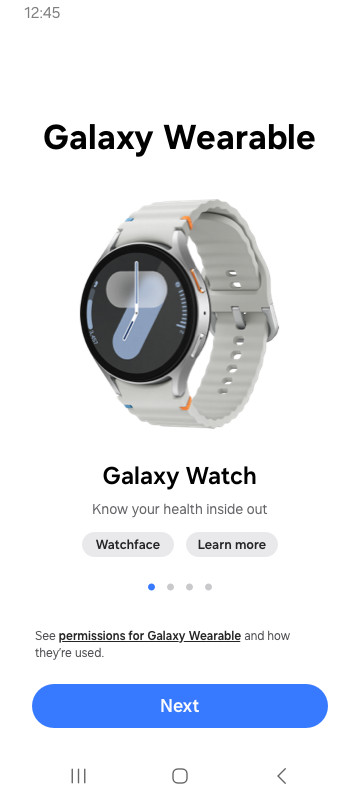
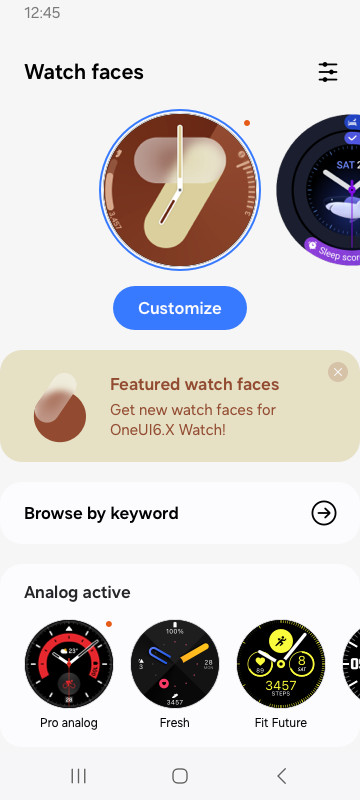
Galaxy Wearable is a Tools app by Samsung Electronics Co., Ltd. that connects and manages compatible wearable devices with a mobile phone. It acts as the central hub for pairing, configuring, and monitoring Samsung wearables.
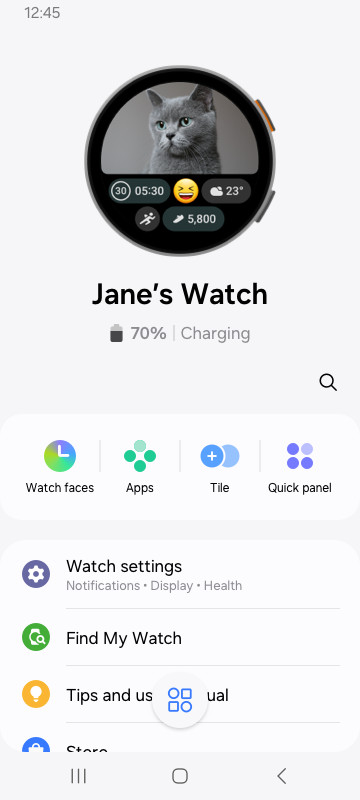
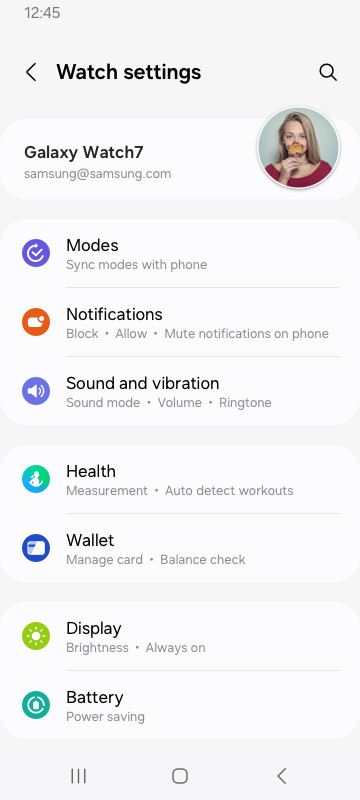
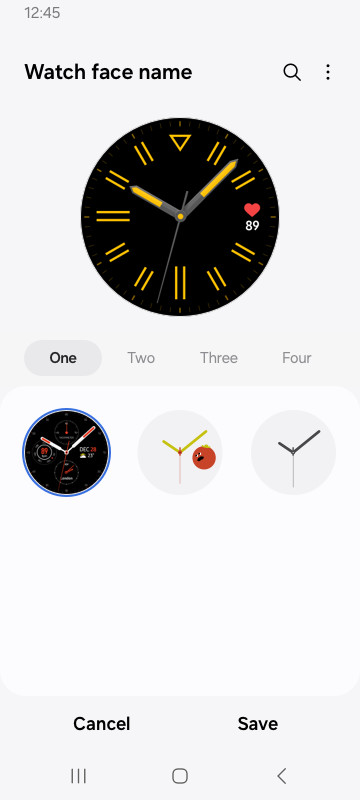
The app handles core tasks such as device connection and disconnection, software updates, clock settings, notification preferences, and downloading additional applications for the wearable. A Find my Watch feature helps locate a misplaced device.
It is intended for owners of Samsung wearables who want a single interface to control their device. Use requires Bluetooth pairing between the phone and the wearable, and most functions only work while the connection is stable. The app does not support Gear VR or Gear 360, and for Galaxy Buds models it can also be used with tablets.
Key features
- Connects and disconnects wearable devices from the phone.
- Manages software updates for connected wearables.
- Adjusts clock settings on the wearable.
- Downloads and configures applications for the wearable.
- Provides a Find my Watch function.
- Controls notification types and settings.
How to install
- Tap the download button on this page to get the 15 MB APK file.
- When Android asks, allow your browser or file manager to install apps by enabling the “Install unknown apps” setting.
- Open the downloaded APK file from your notifications or file manager.
- Tap Install and wait for the process to finish.
- Open Galaxy Wearable and follow the on-screen pairing steps. Your device must run Android 8.0 or higher.
Pros
- Free to download and use, with no ads or in-app purchases.
- Centralizes management of wearable settings, updates, and notifications.
- Includes a Find my Watch feature for locating a misplaced wearable.
- Regularly updated, with a recent fix released in October 2026.
Cons
- Requests a wide range of permissions, including identity, call logs, SMS, and location, some of which may feel excessive for basic use.
- Core functionality depends on a stable Bluetooth connection to the wearable device.
- Not compatible with Gear VR or Gear 360.
- Supported capabilities vary by region, carrier, and device model.
Latest changes
The latest version 2.2.72.26092361 of Galaxy Wearable, released on October 6, 2026, includes a fix for an error that was present in the previous release.
Older versions
| Version | Size | Requires Android | Updated |
|---|---|---|---|
| 2.2.70.26060861 | 14 MB | 8.0 | Oct 10, 2026 |
| 2.2.59.24061361 | 26 MB | 5.0 | Oct 7, 2026 |
| 2.2.72.26092361 | 15 MB | 8.0 | Oct 6, 2026 |
| 2.2.68.26010761 | 17 MB | 8.0 | Jul 25, 2026 |
| 2.2.65.25093061 | 16 MB | 8.0 | Jan 28, 2026 |
| 2.2.55.23033161 | 6.4 MB | 4.3 | Apr 26, 2023 |
| 2.2.16070451 | 1.2 MB | 4.2 | Jul 14, 2016 |
Owners of Samsung wearable devices who want to manage pairing, updates, notifications, and settings from a single app on an Android phone running Android 8.0 or higher.
Before pairing, make sure Bluetooth is turned on and your wearable is in pairing mode. If you deny optional permissions, basic features will still work, but some syncing options like calendar or SMS may be unavailable.
Permissions
FAQ
Is Galaxy Wearable free to download?
Yes, the app is free. It is listed at a price of 0.00 USD and contains no ads or in-app purchases.
Which Android version do I need to run Galaxy Wearable?
The app requires Android 8.0 or later. Some features and permissions behave differently on older Android releases, so the minimum supported version is 8.0.
How large is the APK file?
The download is about 15 MB. Make sure you have enough free storage before installing.
Do I need an account to use the app?
An account is not required to install or open the app, but some features such as account syncing and calendar syncing rely on a Samsung account. Those syncing options are optional and the basic service works without granting optional permissions.
What permissions does Galaxy Wearable request?
Required permissions include Location on Android 11 and lower, or Nearby devices on Android 12 and higher, so the app can find nearby devices to connect over Bluetooth. Optional permissions cover Phone, Address book, Calendar, Call logs, SMS, plus access to photos, media, files and storage; these support features like syncing and installing plug-in apps and may vary by wearable model.
How do I update Galaxy Wearable to the newest version?
Download the latest version from this page and install it over your current copy. The most recent release is version 2.2.72.26092361, dated 2026-10-06, and it includes a fix for an error.
Galaxy Wearable is a practical companion for managing Samsung wearables, but its broad permission requests deserve careful review before installation.
Similar apps
 ClockSamsung Electronics Co., Ltd.3.9
 Voice RecorderSamsung Electronics Co., Ltd.4.0
 Samsung Smart Switch MobileSamsung Electronics Co., Ltd.3.9
 Samsung MusicSamsung Electronics Co., Ltd.3.8
 SmartThingsSamsung Electronics Co., Ltd.4.6
 Digital WellbeingGoogle LLC3.6
 Speech Recognition & SynthesisGoogle LLC4.0
 Android Accessibility SuiteGoogle LLC4.1
More from this developer


Updated: Oct 15, 2026