Google Gemini: AI Assistant for Productivity
Google Gemini is a productivity app by Google LLC that lets you chat to start writing, planning, creating, and learning with Google AI.
Get Google Gemini · v1.0.971139365Google Gemini offers an AI assistant designed for everyday tasks, creative projects, and deeper research through connected Google apps. The app is free, works on Android 9 or newer, and has a download size listed in the catalog. It is aimed at users who want help with productivity, studying, and turning ideas into visuals or prototypes.
Screenshots
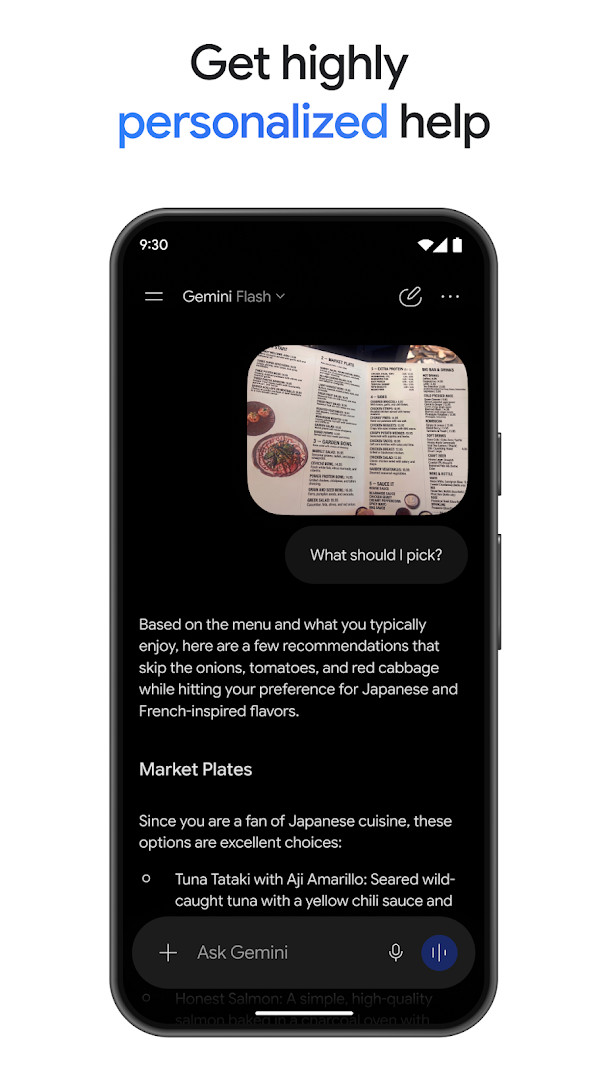
- Version
- 1.0.971139365
- Requires Android
- 9
- Updated
- Aug 31, 2026
- Installs
- 1B+
- Rating
- ★ 4.54 (48,752,934)
- Category
- Productivity
- Developer
- Google LLC
- Content rating
- Teen
- Package
- com.google.android.apps.bard
- Free
- ✓
Google Gemini is a productivity app by Google LLC that provides an AI assistant for writing, planning, creating, and learning through chat. It is designed to be a personal, proactive, and powerful assistant that accompanies users from their morning commute to late-night deep dives.
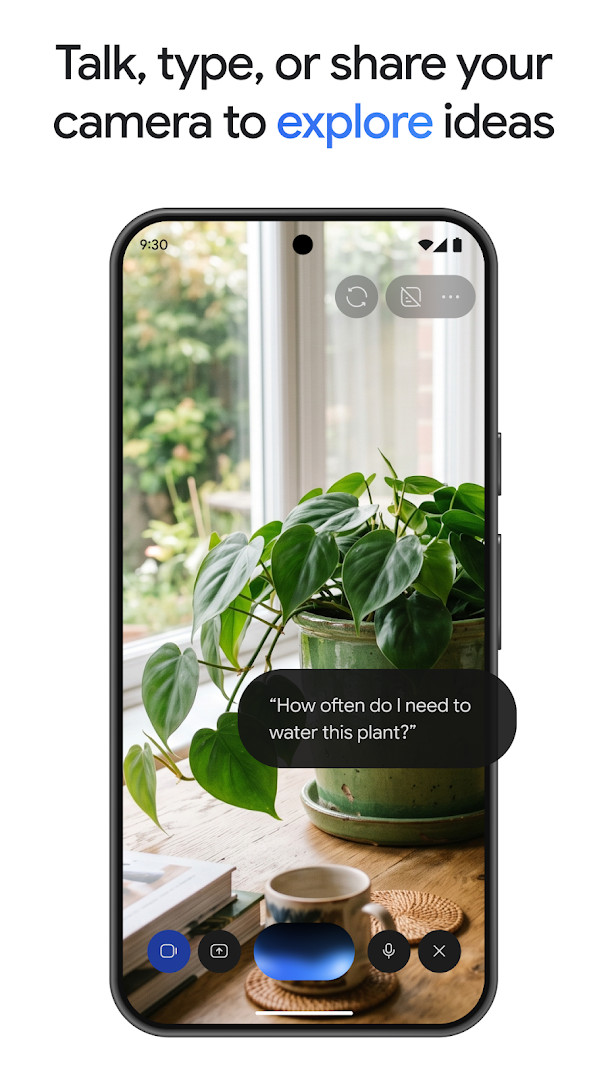
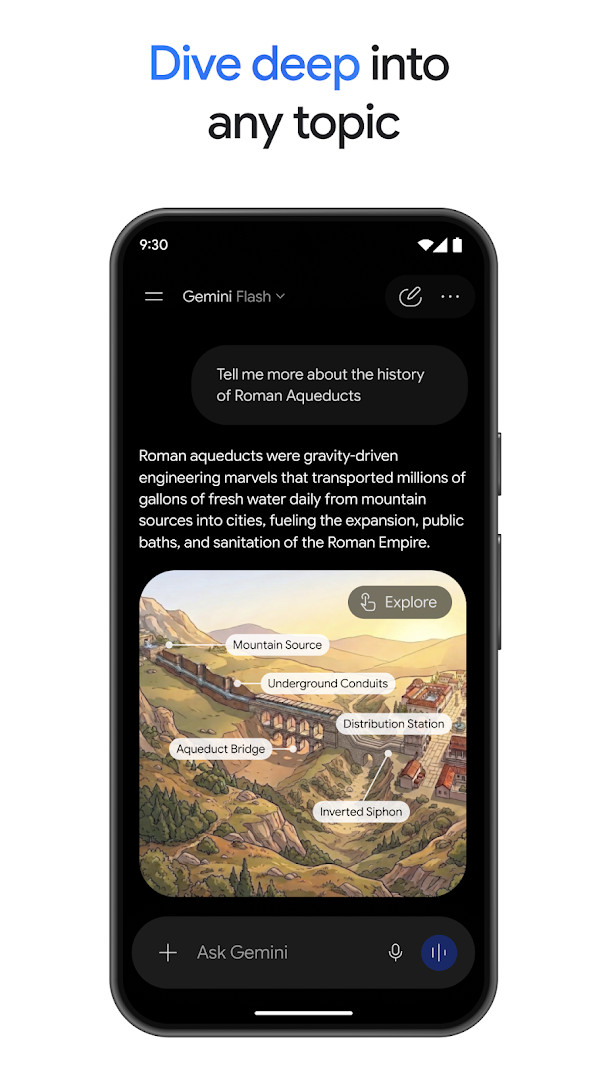
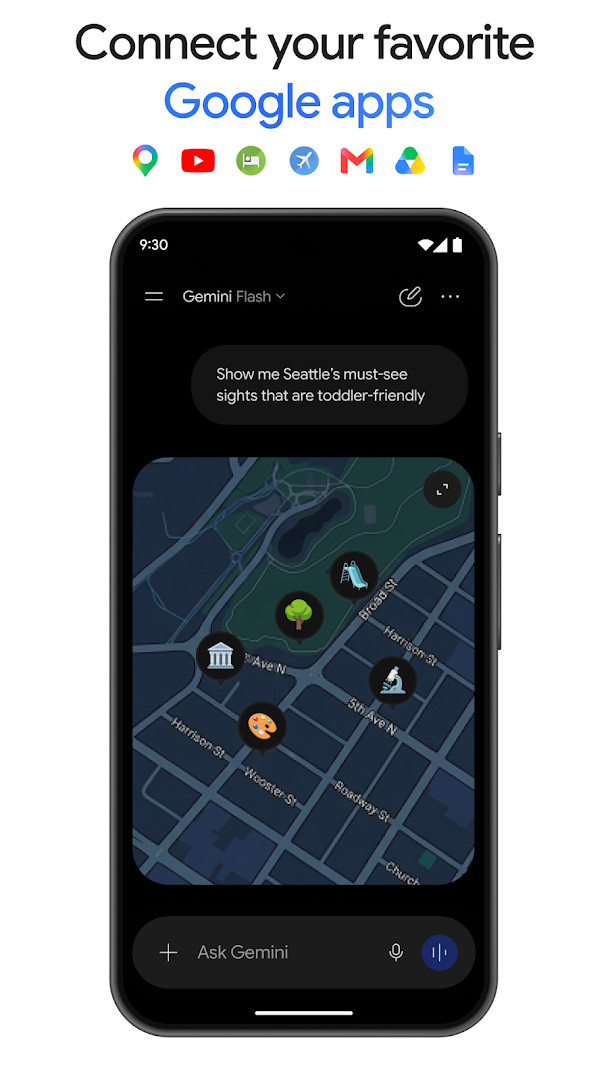
The app centers on conversation. Users can talk things out with Gemini Live, brainstorming in real time or sharing their screen or camera to discuss what they see. Rather than returning a wall of text, it produces carefully crafted responses that can include interleaved images, timelines, and interactive visuals. It also connects with Google apps such as Gmail, Calendar, Google Photos, YouTube, and Search for more personalized help, and it accepts uploads of documents, spreadsheets, photos, and videos for answers, summaries, and insights.
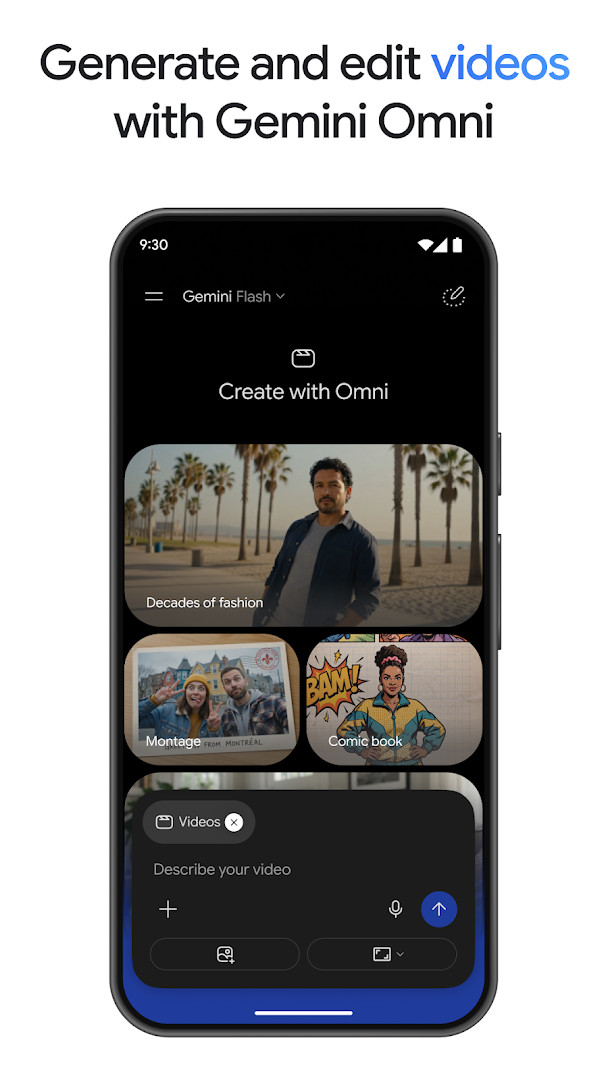
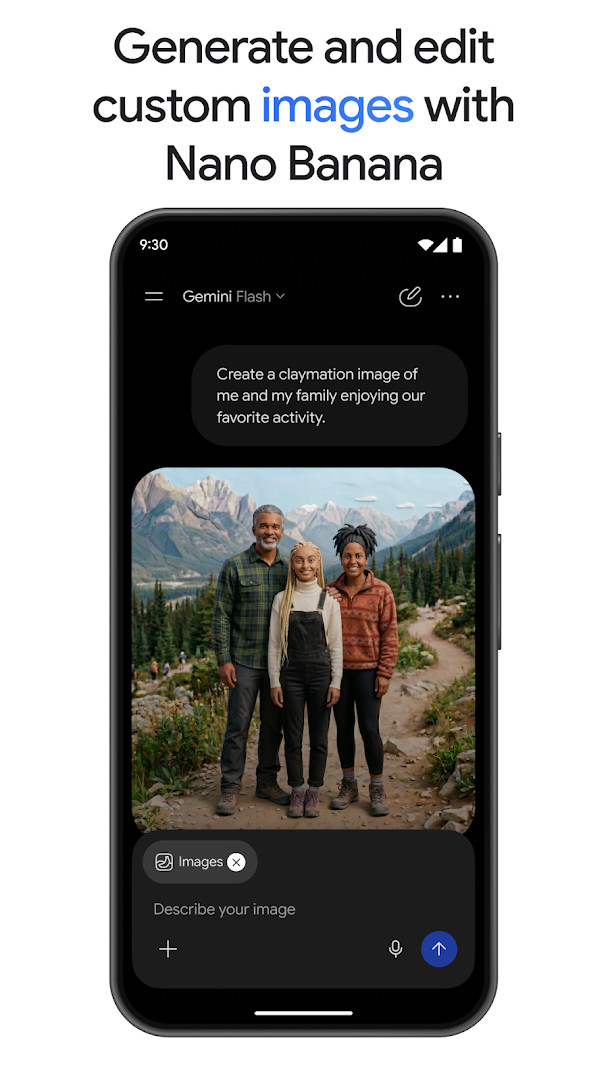
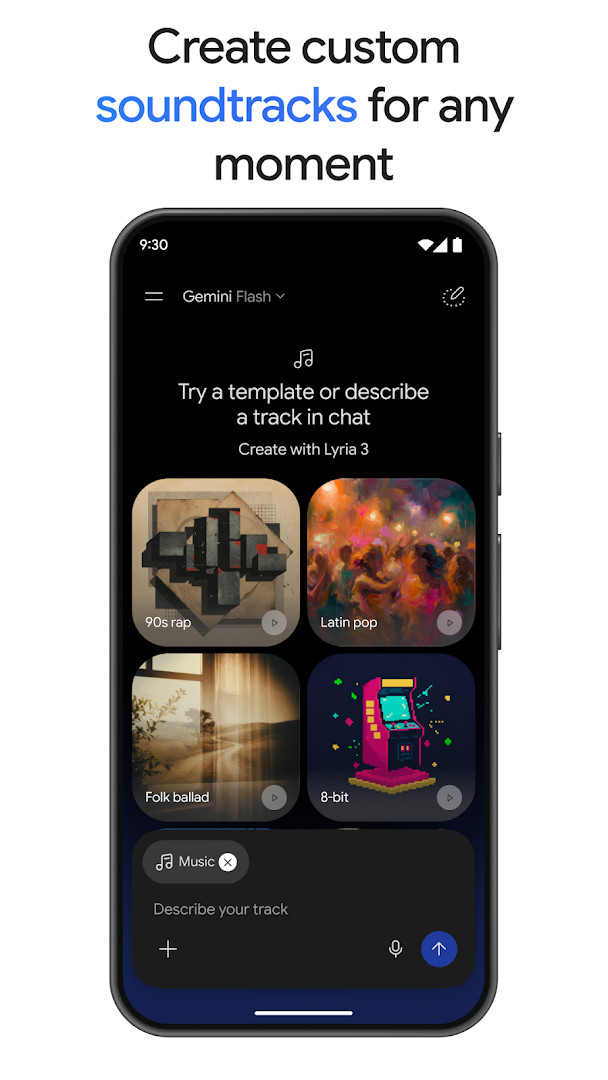
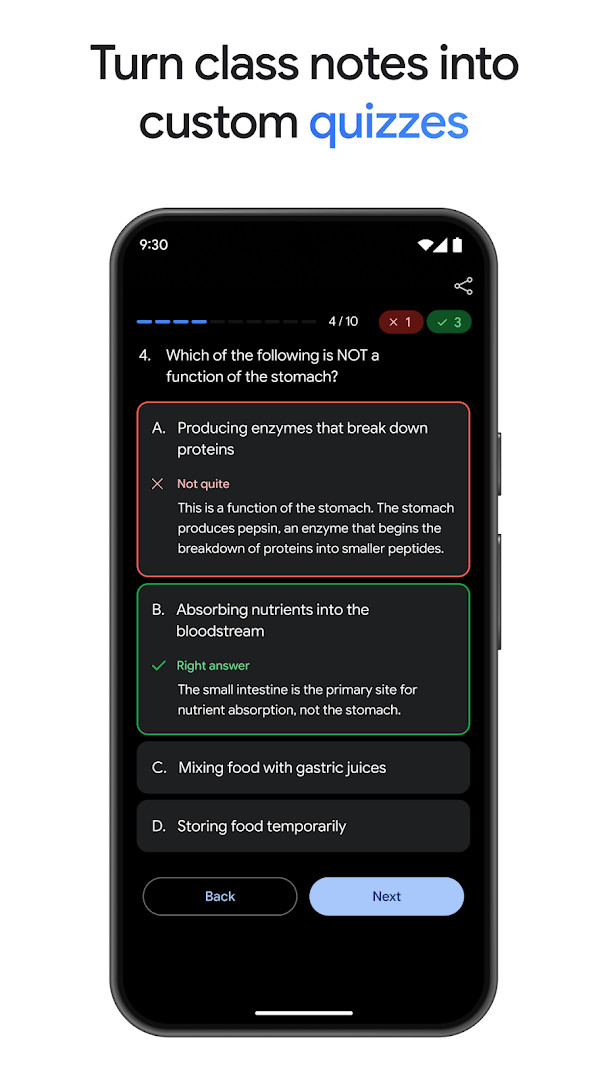
Beyond chat, Google Gemini supports creative and research work. It can generate and edit photos with Nano Banana 2, including camera and lighting controls, blended mockups, poster designs with sharp text, and diagrams. It can turn ideas into cinematic videos with Gemini Omni for Google AI Plus, Pro, Ultra, and Workspace users, and create custom soundtracks with Lyria 3. For productivity, it offers research with NotebookLM, study help with custom practice quizzes and interactive visuals, and prototyping of web pages, games, or dashboards, plus conversion of files into podcast-style overviews.
The app is free, has no ads, and includes no in-app purchases. Optional Google AI Plus, Pro, or Ultra plans are available for users who want to tackle more complex tasks and projects. The current version is 1.0.971139365, released on 2026-08-31, and it requires Android 9 or higher.
Key features
- Chat-based AI assistant for writing, planning, creating, and learning
- Gemini Live for real-time brainstorming and screen or camera sharing
- Responses with interleaved images, timelines, and interactive visuals
- Personalized help through connections to Gmail, Calendar, Google Photos, YouTube, and Search
- Upload support for documents, spreadsheets, photos, and videos to get answers, summaries, and insights
- Photo generation and editing with Nano Banana 2, including camera and lighting controls, image blending, poster text, and diagrams
- Cinematic video creation with Gemini Omni for Google AI Plus, Pro, Ultra, and Workspace users
- Custom soundtracks with Lyria 3
- NotebookLM research grounded in notebook sources, plus study quizzes and interactive visuals
- Prototype building for web pages, games, or dashboards, and file conversion into podcast-style overviews
How to install
- Tap the download button on this page to get the APK file. The file size is not specified in the available data.
- When Android asks, allow your browser or file manager to install apps. This is the 'Install unknown apps' setting.
- Open the downloaded APK file from your notifications or file manager.
- Tap Install and wait for the process to finish.
- Open the app. Note that it requires Android 9 or higher.
Pros
- Free to use with no ads and no in-app purchases
- Large user base, with more than 1 billion installs
- High rating of 4.54 from over 48 million ratings
- Broad feature set covering chat, research, creativity, and productivity
- Connects with several Google apps for personalized assistance
- Supports uploading many file types for analysis
Cons
- Opting in replaces Google Assistant as the primary assistant on the phone
- Some Google Assistant voice features are not yet available through the Gemini app
- Advanced video creation with Gemini Omni requires a Google AI Plus, Pro, Ultra, or Workspace plan
- Content rating is Teen
Latest changes · 1.0.971139365
This update introduces Gemini 3.5 Flash and Gemini Omni to enhance productivity and creativity. A new Gemini Spark personal AI agent proactively manages tasks and helps with your digital life, while the Daily Brief agent provides a personalized morning summary. You can also use Nano Banana in Gemini Live to reimagine your surroundings by showing the app what you see.
Older versions
| Version | Size | Requires Android | Updated |
|---|---|---|---|
| 1.0.971139365 | — | 9 | Aug 31, 2026 |
| 1.0.618909562 | 2.7 MB | 12 | Nov 14, 2025 |
| 1.0.603736800 | 2.6 MB | 6.0 | Mar 12, 2025 |
This app is aimed at Android users on version 9 or higher who want an AI assistant for everyday productivity, creative projects, and learning. It suits people who prefer conversational interaction for writing, planning, research, and content generation, as well as those who want to connect their Google apps for more personalized help. Users interested in photo editing, video creation, or prototyping may benefit from the creative tools, while students and researchers can use the study and NotebookLM features.
If you rely on Google Assistant voice features, review the settings before opting in, because the Gemini app will replace Google Assistant as the primary assistant and some voice features are not yet available. You can switch back in settings. To get the most from the app, try uploading your own documents or class notes for summaries and quizzes, and explore Gemini Live for real-time brainstorming with your camera or screen.
FAQ
Is Google Gemini free to use?
Yes, the app is free and its listed price is 0.00 USD. Optional Google AI Plus, Pro, and Ultra plans are available if you want extra capabilities.
Which Android version do I need to install it?
The app requires Android 9 or later. Make sure your device is running at least that version before installing.
Do I need a Google account to use the app?
You sign in with a Google account, and the app can connect to Google services such as Gmail, Calendar, Google Photos, YouTube, and Search for more personalized help. Connecting those services is optional.
What permissions does the app request?
The available app information does not list specific permissions. When you install it, Android will show you the permissions the app requests, and you can review them at that point.
How do I update Google Gemini to the newest version?
Download the latest version from this page and install it over your current copy. The most recent listed version is 1.0.971139365, dated 2026-08-31.
Is the app suitable for younger users?
It carries a Teen content rating. If you opt in, the app replaces Google Assistant as the primary assistant on the phone, and some Google Assistant voice features are not yet available; you can switch back in settings.
Google Gemini is a feature-rich productivity assistant that combines conversational AI with creative and research tools. It is free, ad-free, and widely used, with a strong rating and a large install base. If you are on Android 9 or higher and want an AI assistant that can help with writing, planning, creating, and learning, this app is worth trying.
Similar apps






More from this developer




Updated: Oct 14, 2026